Shopping for the best iptv provider can feel like staring at a buffet with no labels. Every site screams “premium channels, crazy-low prices,” and you’re just hoping you don’t pay for something that turns into a spinning buffer wheel on game night.
A lot of folks learn the hard way: streams crash during the playoffs, the seller ghosts right after taking payment, or the service feels sketchy and you start wondering if your card info is floating around somewhere it shouldn’t.
This guide cuts through that noise. You’ll get clear criteria, a simple checklist of must-have features, red flags that scream “run,” and what actually matters for things like live sports, family use, and multi-device streaming.
As one Stariptv network engineer likes to say, “Stable streams and honest terms beat hype every single time.”
Read on so you can pick a service with your eyes open, not fingers crossed.
Core evaluation criteria for choosing the best IPTV provider
A good IPTV service isn’t just about having lots of channels — it’s the full experience. Here's how to figure out what really matters.
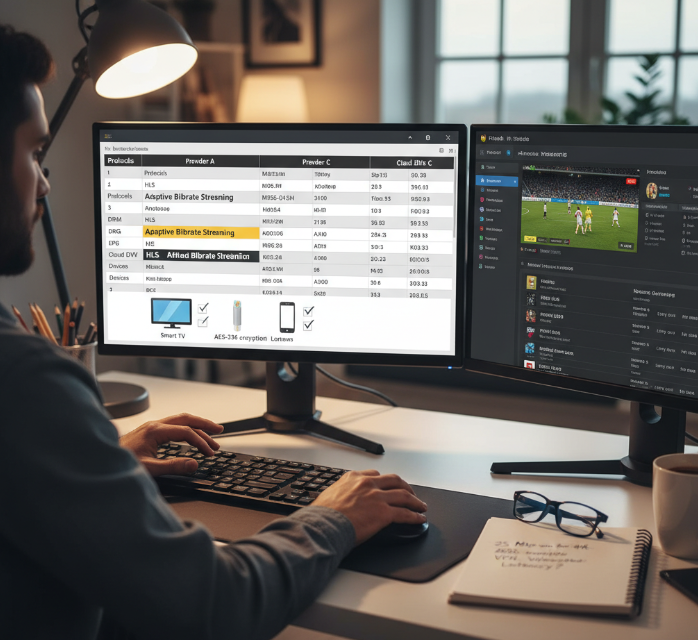
Streaming protocols that keep IPTV stable: HLS, MPEG-DASH, Adaptive Bitrate Streaming
Smooth playback starts here. If your stream keeps freezing, you’re probably dealing with outdated protocols or poor bitrate handling.
Quote from Stariptv Lead Engineer, Tanya Hsu:
“Stability isn’t magic — it’s about choosing protocols that adapt to your bandwidth in real time. MPEG-DASH and HLS make that happen.”
HLS (HTTP Live Streaming) is widely supported and breaks content into small chunks for flexible delivery.
MPEG-DASH adjusts quality mid-stream without user input — perfect for mobile viewers.
Adaptive Bitrate Streaming dynamically switches stream quality depending on real-time internet speed.
Avoid RTMP and RTSP — they’re ancient and prone to stuttering, especially on mobile.
A manifest file is your stream’s blueprint — make sure the provider offers consistent, well-built ones.
Device compatibility checklist: Smart TV, set-top box, streaming stick
Some IPTV providers work beautifully on Firestick but crash on Apple TV. Don’t get stuck — check this list.
3 must-dos before committing:
Check for native apps — like TiviMate on Android TV, or Smarters Pro on Formuler and Nvidia Shield.
Set-top box users — look for MAG box and Stalker Portal compatibility.
Multi-platform sync — confirm if your plan supports both Smart TV and mobile (like iOS + Roku) under one login.
🔁 IPTV that works across your Smart TV, tablet, and phone makes all the difference in real life — especially for families.
Essential content features: Live television, Video on Demand, Catch-up TV
No one wants a flashy interface hiding a barebones VOD library. Here's what to expect.
Mix of core features to expect:
Live television: With EPG (Electronic Program Guide) support — so you don’t miss what’s playing now or next.
Video on Demand: Look for a well-stocked VOD library — not just 10 random movies.
Catch-up TV: Let’s say you miss the game — time-shifting and DVR options help rewind or replay.
Pay-per-view: For exclusive events — is it easy to book and stream with one click?
Multiscreen support: Let everyone watch what they want, without turf wars.
Providers skimping here usually fail the “2-week satisfaction” test.
Picture quality benchmarks: 4K Resolution, High Definition, frame rate
Quality’s not just resolution. It’s also how your stream moves, loads, and feels — even during fast-paced scenes.
Let’s break it down:
4K Resolution (UHD): Crispness, color, and clarity — especially on 55”+ TVs.
1080p / 60fps: Smooth motion in live sports or action-packed content.
HEVC / H.265 Compression: Keeps file sizes low without nuking quality.
HDR10: Makes colors pop — especially for cinema lovers.
Pixel density and refresh rates matter more the bigger your screen is.
A high-quality IPTV provider should deliver more than just “HD” stickers — test streams speak louder than sales pages.
Network performance: bandwidth, buffering, latency, Content Delivery Network routing
A killer IPTV provider with poor routing still stinks. It’s not just about your internet speed.
Quick-reference performance metrics by protocol:
| Metric | Ideal Value | Affects | Notes |
|---|---|---|---|
| Bandwidth | ≥ 25 Mbps (4K) | Buffering, resolution | Based on typical streaming guidance like Netflix’s 4K recommendations |
| Latency (Ping) | ≤ 40ms | Live event delay | Under 20ms is ideal |
| Packet Loss | < 1% | Stream stability | >2% = choppy or black screens |
| CDN Proximity | < 500 miles | Load time, buffering | Edge CDN = faster access |
Pro Tip: If buffering starts at night only, it’s likely ISP throttling, not your IPTV provider.
(Helpful reads: Netflix-recommended speeds, What is a CDN?.)
Security and privacy basics: Virtual Private Network, encryption, firewall
These days, you need more than a password. Some providers get sloppy — don’t settle.
Stay safe by looking for these:
VPN Support: Not just allowed — but encouraged. Ideal: OpenVPN and WireGuard.
Encryption: Ask if they use AES-256 and SSL during stream transfer.
Firewall Compatibility: Check for simple guides to allow IPTV ports.
DNS Leak Protection and Kill Switches: Especially important for users on proxy or VPN setups.
IP Masking: Helps keep your device off marketing radar.
Even casual viewers should expect privacy by design — not by accident.
Account management and UX: middleware, user interface, media player application
If it’s confusing to navigate, switch channels, or renew — that's a big red flag.
User-friendly features to expect:
Clean user interface with clearly labeled sections
A reliable media player application like TiviMate or IPTV Smarters
Access to account settings via a billing portal
Use of Xtream Codes or Stalker Portal for secure logins
M3U playlist and EPG source linking for flexible setups
Support for favorites list and parental controls built right in
Providers with polished UX save you hours of frustration — and help your non-techy friends enjoy IPTV too.
10 must-check features before deciding your IPTV provider
Don’t get stuck with a glitchy service. These are the dealbreakers you gotta check.
Reliable Electronic Program Guide and time-shifted media options
A good EPG isn’t just decoration—it’s how you live your TV schedule.
Accurate EPG (aka TV Guide) so you’re not guessing what’s on
Catch-up TV lets you rewind stuff you missed
Time-shifting or DVR/PVR functions to pause and record live shows
Broadcast schedule sync using XMLTV formats
Must work across all devices, not just one
“Without a proper EPG, you’re basically watching TV blind.” — J. Lopez, UI Designer at StarIPTV
Multi-screen viewing on smartphone, tablet, personal computer
Watch what you want, where you want. No fights for the remote anymore.
Must support simultaneous connections across 2+ devices
Should work on Android, iOS, Windows—the basics
A solid mobile app and web player make or break the experience
Support for screen mirroring or casting is a sweet bonus
Look for Multi-device plans—some limit logins without telling you
Parental controls and age-safe user interface design
Because kids + uncensored IPTV = no thanks.
Let’s break it down:
PIN protection is a must for locking mature content
Content filtering should be customizable by age rating
The interface must support user profiles with restricted access
A clean, kid-friendly UI helps little ones find their cartoons
Features like Safe Search are a great bonus for peace of mind
Playlist manager, M3U URL, Xtream Codes compatibility
If you love control, this one’s your playground.
This is where tech-savvy users shine. A reliable IPTV provider should give you:
M3U and M3U8 playlist support with clean structure
Xtream Codes API logins for advanced dashboards
Compatibility with players like IPTV Smarters and TiviMate
Dynamic URL updating to avoid dead links
Built-in playlist manager to edit and organize your channels
Support for HEVC video codec and adaptive bitrate streaming
Don’t sacrifice quality—or your data cap.
Support for H.265 (HEVC) codec keeps 4K UHD streams smooth
Must offer ABR (Adaptive Bitrate Streaming) to adjust in real time
Smarter compression means lower bandwidth usage without losing clarity
Ability to auto-switch resolution and bitrate based on speed
Reduces buffering and makes video quality consistent even with network dips
Stable bandwidth, low latency, minimal buffering during peak hours
You want your stream to play, not load.
Peak Performance Table (Evenings Matter Most)
| Time Slot | Recommended Bandwidth | Buffering Tolerance | Latency Target |
|---|---|---|---|
| 6 PM - 8 PM | 25 Mbps | <2 seconds | <100ms |
| 8 PM - 10 PM | 30 Mbps | <1.5 seconds | <80ms |
| 10 PM - 12 AM | 20 Mbps | <2 seconds | <120ms |
Look for providers that offer:
99.9% server uptime
Support from global CDNs for fast delivery
Minimal packet loss and smooth frame rate
Ping-tested performance during high traffic hours
Secure API login, IP Address checks, and account dashboard
Security isn’t optional—especially for paid IPTV accounts.
Encrypted API login over HTTPS
IP locking or check-in options to prevent account sharing abuse
Support for two-factor authentication
Easy-to-use user portal for billing, logouts, device history
Clear privacy policy on how user data and IP addresses are handled
Home network readiness: wireless router and network switch checks
Sometimes your gear’s the problem, not the IPTV.
A solid home setup matters. Here’s what to check:
Use Wi-Fi 6 routers or Ethernet for streaming devices
Add a network switch for multiple stable wired connections
Ensure strong signal strength in key rooms
Set up QoS rules to prioritize video over downloads
Check if port forwarding is needed for IPTV apps
Protection against geoblocking with Virtual Private Network or proxy server
Tired of “this content is not available in your region”?
Choose providers that don’t overly restrict by region
Use VPN or proxy tools with IP masking and server location switching
Bypass geo-restriction to unlock international content
Helps with ISP throttling too—VPNs tunnel data cleanly
Just be smart—some services ban known VPN IPs
Transparent pay-per-view and catch-up TV pricing rules
No one likes surprise charges—especially when you're just watching TV.
Look for a published billing cycle and clear subscription plan
Separate costs for PPV events and on-demand shows should be disclosed
Providers should flag premium channels and optional upgrades upfront
Avoid hidden fees with services that offer a refund policy
Pricing transparency means fewer support calls and zero buyer's remorse
Buffering, black screens, scams: avoid bad picks, find the best IPTV provider
This section dives into the tech headaches that frustrate IPTV users the most—freezing streams, screen crashes, and shady providers. Here's how to spot the red flags early and pick smarter.
Diagnosing buffering: bandwidth, latency, UDP, multicast, unicast issues
Quick tips to reduce buffering lag
Use a high-throughput connection (above 25 Mbps for 4K content).
Avoid network congestion—stream off-peak or upgrade your plan.
Enable IGMP snooping on your router for smoother multicast handling.
Always opt for a provider that uses adaptive streaming protocols.
Extra tip: Jitter and packet loss might be your real enemies, not the IPTV provider.
Quick Reference Table – Streaming Smoothness Factors
| Factor | Optimal Value | Affects | Fix Recommendation |
|---|---|---|---|
| Bitrate | 5 Mbps (HD) / 25 Mbps (4K) | Image sharpness | Switch to Ethernet over Wi-Fi |
| Latency | <50ms | Delay in playback | Reset modem/router |
| Packet Loss | <1% | Stream freezing | Check cabling and ISP |
(See also: Optimizing network performance for video streaming and How to avoid packet loss when live streaming.)
Black screens and crashes: RTMP, RTSP, and media player application faults
Many black screen issues come from poor protocol handshaking—especially with outdated RTMP and RTSP.
If you’re still using an old VLC Media Player or buggy middleware, it’s time for an update.
Transcoding problems or buffer overflow can crash streams on startup.
Choose a provider using HLS with modern codecs like HEVC—it makes a real difference.
"99% of crash reports we receive are due to mismatched video codecs or outdated apps," says James Tao, Media Systems Engineer at Stariptv.
Pro tip: A stable IPTV setup is as much about the player as it is about the provider.
Spotting IPTV scams: bogus M3U URL and risky Xtream Codes panels
Look out for these scam signals:
Playlist full of dead channels after the trial period
Reseller panel requiring MAC address changes weekly
No SSL/TLS on the Xtream Codes login page
Subscription fraud via fake API endpoints
Don't get phished! Always verify the source of your M3U URL and make sure your dashboard uses secure authentication.
If it sounds too good to be true (like $15/year with “lifetime” promises), it is.
Safer payments, firewall rules, and Internet Service Provider cooperation
Keep it tight with these five essentials:
Use cryptocurrency or secure cards for anonymity, but only on encrypted (SSL/TLS) sites.
Avoid providers using sketchy NAT traversal or open ports.
If your ISP is throttling, a VPN can help—but test it first.
Set your firewall to block unsolicited inbound traffic (basic port blocking).
Don’t forget—Deep Packet Inspection can still detect unencrypted IPTV streams.
Talk to your ISP before setting up heavy-duty IPTV use. It could save you from unexpected throttling or service cutoffs.
Is the best IPTV provider also the safest and legal?
Choosing the best IPTV service isn’t just about channels or video quality—it’s about staying safe and out of legal trouble.
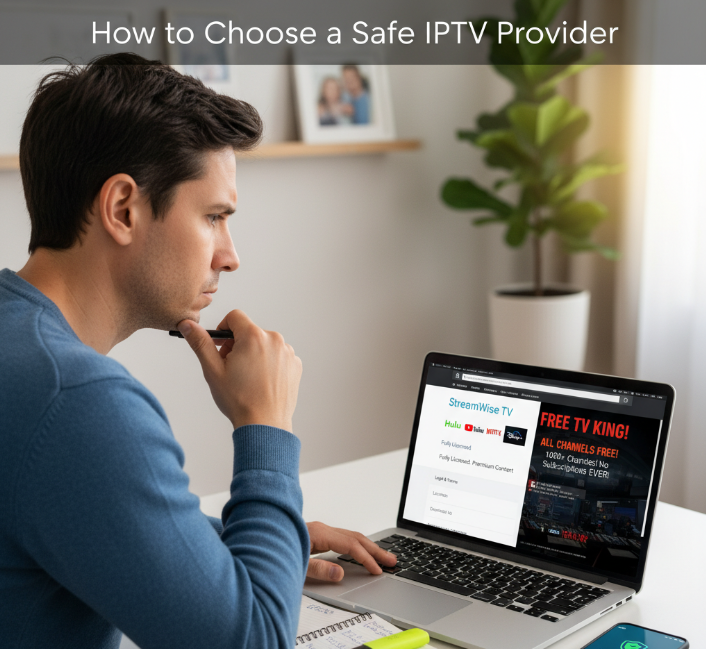
What’s the real deal with legality and IPTV?
Here’s the thing: not all IPTV providers play by the rules. Some are fully licensed streaming services with proper content agreements, while others operate in a legal gray area—or flat-out ignore copyright laws.
Let’s break this down in simple terms.
1. Legal IPTV vs. Illegal IPTV: Quick Signs to Tell Them Apart
Licensed Streaming Services: These providers pay content owners and studios to legally stream their shows and sports. Think of them like Hulu or YouTube TV.
Shady IPTV Services: Dirt-cheap, "all channels unlocked," and hosted in unknown countries? Big red flags.
No Subscription Plans or Refund Policies? Sketchy. Reliable IPTV providers offer real subscription services with clear terms.
No mention of licensing? They’re probably hoping you won’t ask.
2. Table: Legal Risk vs. Provider Type
| IPTV Type | License Status | Risk of Piracy | Legal to Use in the U.S.? |
|---|---|---|---|
| Big Names (e.g., Sling TV) | Fully Licensed | Low | ✅ Yes |
| Grey Market IPTV Services | Not Transparent | Medium–High | ⚠️ Possibly Illegal |
| Torrent-Based IPTV | No Licensing | Very High | ❌ No |
FYI: Even if an IPTV provider doesn’t get shut down right away, you can still get hit with penalties for watching pirated content—especially under the Digital Millennium Copyright Act.
3. Are VPNs a Safe Bet for IPTV?
Short answer: VPNs can protect your privacy, but they don’t make illegal IPTV legal.
What a VPN does: Hides your IP address, keeps your traffic encrypted, and avoids geoblocking.
What a VPN *doesn’t* do: Magically legalize pirated streams.
Legal tip: Use a VPN if you’re traveling and want access to your legit subscription, not to dodge licensing.
StarIPTV Engineer Mike T. says:
“A VPN is like tinted windows on a car—it hides what’s inside, but if you’re doing something illegal, it’s still illegal.”
4. Cybersecurity: The Hidden Danger Nobody Talks About
Risk of Malware: Fake apps or sketchy M3U URLs can infect your device.
Stolen Info: No HTTPS? Your payment and personal info might be exposed.
No Tech Support? You’re on your own if things go south.
“If a streaming service can’t even get a working support email, you probably shouldn’t trust it with your credit card,” says Jenny R., StarIPTV Customer Experience Manager.
5. How to Choose a Safe, Legal IPTV Provider (Without Going Crazy)
Here’s a super simple checklist to spot a legit IPTV provider:
Do they talk about licensing? If yes, that’s a good start.
Can you find them on public review platforms? Hidden = suspicious.
Do they offer real customer service? Like chat or phone support.
Do they accept common payment methods (not crypto only)? That shows accountability.
Is there a refund or trial policy? Real providers stand behind their product.
The best IPTV provider should feel like any legit service—safe, smooth, and clear about what you’re paying for. If you're constantly looking over your shoulder or switching VPNs just to watch a show, it's not worth it. Stick with providers who treat their business like a business, not a back-alley hustle.
Because at the end of the day, peace of mind > 1,000 sketchy channels.
For sports fans: finding the best IPTV provider for live games
Whether you're into Premier League, UFC, or NBA playoffs, a best IPTV provider needs to keep your game streams crispy, fast, and drama-free — no lag, no blackouts.
Streaming protocols for live sports: HLS, MPEG-DASH, Adaptive Bitrate Streaming
Bitrate switching saves games: Adaptive Bitrate Streaming adjusts in real-time so when your Wi-Fi dips, you don’t miss the goal.
HTTP Live Streaming is the MVP: HLS uses segmented transport streams and a manifest file to keep feeds steady — like a playlist for your match.
MPEG-DASH is great too: It helps providers push out high-quality feeds with support for different devices and resolutions.
Low latency is key: Some services tweak encoder settings to reduce delay between the live action and what’s on your screen.
CDNs = smoother streams: A smart content delivery network helps distribute the match across global servers for fewer slowdowns.
Frame rate, latency, and buffering tolerance during big matches
FPS matters: Look for IPTV streams that support 60fps — especially for fast-paced sports like F1 or football.
Glass-to-glass delay: A good provider keeps latency under 5 seconds — perfect for live betting or social chats.
Jitter and packet loss: Too much jitter = stutters and lag. The best IPTV setups use proper cache controls and smart bandwidth management.
Refresh rate syncing: 60Hz or higher on your display + IPTV service output = smoother action scenes.
“We use dynamic refresh matching and pre-buffering to keep action smooth even during network hiccups,” says Marcus J., senior network engineer at Stariptv.
Live television and pay-per-view on Smart TV and set-top box
Here’s how IPTV providers stack up across popular Smart TV and set-top box options:
| Device Type | Supported Middleware | PPV Access | EPG Support |
|---|---|---|---|
| Android TV | Yes (Xtream Codes) | Yes | Full EPG |
| MAG Box | Yes (Stalker Portal) | Yes | Yes |
| Firestick | Partial support | Limited | Basic EPG |
Avoiding geoblocking of sports with Virtual Private Network setups
Server location: Pick a VPN that offers servers in the country where your sports broadcast originates. That way, regional restrictions don’t bench you.
Tunneling encryption: Solid encryption keeps your data private and stable, even during HD sports streaming.
DNS leak protection: If DNS leaks, your real IP address could get flagged — and your stream blocked.
Kill switch: VPN dropped? A good kill switch halts traffic immediately so your IP doesn’t get exposed mid-game.
Bypass hacks: Some smart IPTV providers even pre-recommend VPN tools or tunneling methods for global sports coverage.
Conclusion
Picking the best IPTV provider isn’t just about snagging the cheapest deal or the flashiest features—it’s like choosing the right car for a long road trip. You need reliability, comfort, and something that won’t leave you stranded with buffering right before kickoff. From solid streaming protocols to clear pricing and legit security, the winners are the ones who make your daily viewing stress-free and drama-free (unless it’s a show, of course).
Before you sign up, double-check these:
Supports key devices like Smart TVs and streaming sticks
Offers live TV, VOD, and a working program guide
Uses updated streaming tech like HLS or MPEG-DASH
Has clear pricing, especially for pay-per-view or add-ons
Protects your privacy and supports secure logins
In the end, it’s your screen, your rules—just don’t fall for too-good-to-be-true offers with zero support. Stick with what works, and test before you commit.
Ready to try a licensed provider? Explore our IPTV subscription plans and request a free trial.
New to IPTV? Start with the what is IPTV primer and follow the IPTV setup guide for your device.
Curious about legality? Read our breakdown: is IPTV legal in the US.
Scaling up for groups or business? Check out Bulk buyers IPTV and the IPTV reseller program.
References
HTTP Live Streaming | Apple Developer Documentation - https://developer.apple.com/documentation/http-live-streaming
HTTP Live Streaming (HLS) - https://developer.apple.com/streaming/
DASH Industry Forum: About MPEG-DASH - https://dashif.org/about/
MPEG-DASH 5th Edition (ISO/IEC 23009-1:2022) - https://dashif.org/news/5th-edition/
Adaptive Bitrate Streaming (Akamai) - https://www.akamai.com/blog/developers/migrating-from-client-side-to-server-side-adaptive-bitrate-streaming
Adaptive Media Delivery (Akamai) - https://www.akamai.com/products/adaptive-media-delivery
H.265 / HEVC (ITU-T Recommendation) - https://www.itu.int/rec/t-rec-h.265
What is HDR10+? (UHD Alliance) - https://alliance.experienceuhd.com/news/what-hdr10/
Electronic Program Guide (Wikipedia) - https://en.wikipedia.org/wiki/Electronic_program_guide
XMLTV Project Main Page - https://wiki.xmltv.org/index.php/Main_Page
What is a CDN? (Cloudflare Learning) - https://www.cloudflare.com/learning/cdn/what-is-a-cdn/
Netflix Recommended Internet Speeds - https://help.netflix.com/en/node/306
Optimizing Network Performance for Video Streaming (Noction) - https://www.noction.com/blog/optimizing-network-performance-for-video-streaming
How To Avoid Packet Loss When Live Streaming (Resi) - https://resi.io/blog/how-to-avoid-packet-loss-when-live-streaming/
U.S. Copyright Office – DMCA Overview - https://www.copyright.gov/dmca/
FAQ
What makes a provider the best IPTV provider for families?
Easy-to-use menus for kids and seniors
Parental controls to block adult content
Works on all your home devices — TV, tablet, phone
Channel guide and replay options
Good support if something breaks
Is it legal to use the best IPTV provider in my country?
Some services are fully legal, others are not. It depends on where you're watching and if the provider has rights to the content.
Using a VPN to bypass country rules may get you in trouble.
How do I stop buffering while watching IPTV on my Smart TV?
Use a wired connection instead of Wi-Fi
Pick a provider with HLS or Adaptive Bitrate Streaming
Avoid low-end set-top boxes — get HEVC support
Restart your router regularly
Make sure your internet plan is fast enough
Do I need a specific device to use IPTV services?
Nope. Most services work on Smart TVs, Fire Sticks, phones, tablets, and even laptops.
Just make sure your device supports common formats like M3U or Xtream Codes.
Which streaming protocols help keep video smooth?
HLS – works well on most devices
MPEG-DASH – great for newer systems
UDP multicast – used for local networks
RTMP/RTSP – older tech, may cause issues
Adaptive Bitrate – auto-adjusts quality based on your internet
Can the best IPTV provider stream sports without delays?
Yes — if the provider uses low-lag formats and supports high frame rates.
Look for services that mention low latency and have fast, stable servers.
What should I see in a good IPTV dashboard?
Log in with Xtream Codes or API
See active devices and limit abuse
Edit your playlist or M3U URL
Check schedule with the EPG
Reset your password easily
How many screens can I use at once?
It depends on your plan. Some allow 1–2 screens, others offer 4 or more.
Check if the service charges extra for multiple devices or if it’s included.
Why does my IPTV screen go black?
The stream format (RTMP/RTSP) isn’t supported
Your device doesn’t have the right video codec
Playlist expired or broken M3U URL
Weak Wi-Fi or bandwidth issues
A firewall or ISP is blocking the stream
What’s the point of IPTV middleware?
Middleware is the behind-the-scenes software that connects your app to the stream.
It handles login, channels, EPG, and how fast menus load.