Let’s be real—IPTV is everywhere. It’s cheaper than cable, offers more channels, and works on just about any screen. But there’s one big question floating around: Is IPTV actually legal? If you’re here, you’re probably not looking to get caught in a legal mess over watching TV. For a country-specific breakdown, see our primer on is IPTV legal in USA.
Now, the short answer? Some IPTV is totally legal—and some of it can land you in hot water. It all comes down to the source of the streams and how the service is licensed. Sounds boring, but trust me, it matters. (In the U.S., large-scale illegal streaming can be a felony under the Protecting Lawful Streaming Act, and the EU has case law like the CJEU’s Filmspeler decision confirming liability for devices/services that facilitate unauthorized streams—see the official judgment: Case C-527/15.)
Running a small business and thinking of streaming live sports or news in your shop? Better know what’s allowed before you hang that TV. It’s not just about entertainment—it’s about staying out of legal trouble. For commercial packages and guidance, check our Bulk buyers IPTV resources or explore compliant IPTV subscription options.
“Too many people think free equals safe. That’s where folks get burned,” says Mark Jennings, Senior Compliance Engineer at Star IPTV. Star IPTV emphasizes licensed access and compliance—see our stance in the What is IPTV and IPTV streaming guides.
This guide cuts the fluff and walks you through what’s legal, what’s sketchy, and how to stay on the safe side—whether you’re at home or running a business.
What Makes an IPTV Service Legal?
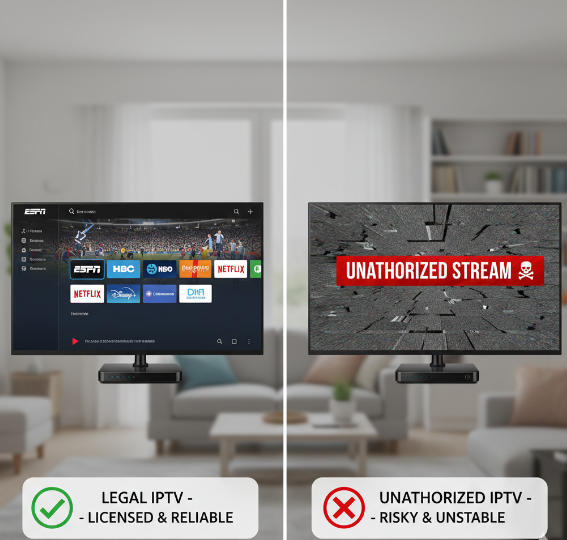
Legal IPTV vs. Unauthorized IPTV Explained
Legal IPTV sounds like the clean route—and it is. Here's how it stacks up.
Legal IPTV services are officially licensed by content rights holders to distribute movies, TV shows, or live events. (Think mainstream services or vetted providers that can show documentation of rights; see background on licensing and legality: FirestickTricks explainer and EU overview of illicit IPTV practices in this rights-holder report.)
Unauthorized IPTV often skips these agreements, streaming pirated content. U.S. law targets commercial illegal streaming operations—see the Protecting Lawful Streaming Act.
Legal services comply with copyright laws and distribution regulations. (For takedowns and safe-harbor mechanics, review the U.S. Copyright Office on the DMCA and §512 resources here.)
Unauthorized ones expose users to legal risks and poor-quality streams.
Businesses using unlicensed IPTV risk shutdowns and penalties. (Recent enforcement examples span multi-million-user networks and court judgments—e.g., Europol’s 2024 raids reported by AP News and ACE’s $15M judgment update here.)
Want a compliant package with documented rights? Browse our IPTV Packages and test a free trial.
How Licensing Affects Live Streaming and Video on Demand
Licensing is the spine of any legit IPTV setup. Without it, you’re just watching lawsuits stack up.
Live streaming requires broadcasting rights and often geolocation limitations. No license? No show. (See how sports blackout/territorial rules work in practice via ESPN’s blackout notice and a primer on geo-blocking in sports rights here.)
VoD platforms pay royalties to content owners for every viewable title.
Licensing terms can define how long, where, and in what format content can be shown.
Think of it like renting a car. You're not just driving it—you’re agreeing to where and how you can use it. IPTV works the same. (For a legal overview, see this 2025 explainer: Is IPTV Legal? Everything You Need to Know.)
Understanding IPTV for News Channels, Sports, and Documentaries
News, sports, and documentaries play by different rules when it comes to IPTV legality.
News Channels rely on real-time delivery. Unauthorized redistribution of live news content breaches licensing and may trigger DMCA takedowns (see the process explained by the Copyright Alliance here).
Sports Channels are even trickier. Leagues often sell rights per region. If your IPTV app shows UFC matches in a restricted country—you’re toast. (For context on territorial licensing and enforcement pressure in sports, see the FT’s coverage of platform responsibilities here.)
Documentaries can be restricted by niche distribution agreements. Many are made by independent filmmakers who control streaming rights tightly.
Bottom line? One size doesn’t fit all—know what you're streaming and who owns it.
For a vetted provider with global channel coverage and multiple legal tiers (SD/HD/4K), compare StarIPTV’s IPTV subscription plans.
Legal Considerations for 4K, Ultra HD, and Standard Definition Streams
Step 1: Verify that your 4K or Ultra HD stream is licensed for redistribution. Many premium formats are restricted by high-value contracts.
Step 2: Check if bandwidth agreements are honored. Unauthorized providers may throttle or misrepresent quality.
Step 3: Understand your device limitations. Standard Definition streams are more flexible and compatible with legacy devices, but that doesn’t mean they’re legal by default.
Step 4: Use providers that offer adaptive bitrate and digital rights management (DRM) to prove they're not cutting corners. (StarIPTV implements adaptive delivery across SD/HD/FHD/4K per our Setup Guide and quality-assurance practices outlined in our service docs; start with the IPTV setup guide.)
Can Businesses Use IPTV Without Breaking Rules?
Legal IPTV Use in Hotels, Retail, and Offices
Getting IPTV set up in a business environment sounds simple—until the legal side catches up with you.
Hotels:
You’ll need explicit multi-user licensing to stream content to multiple rooms.
Be wary of showing Sports Channels or Movie Channels in lobbies—they're often not covered under personal-use rights. (The UK has long flagged “illicit IPTV devices” used in commercial contexts; see the UK Government’s response here.)
Retail Environments:
IPTV can power digital signage or in-store entertainment, but only if you're using commercial licenses.
Playing News Channels to attract attention? Make sure the feed isn’t restricted to personal subscriptions. (ACE publishes ongoing enforcement against illegal retail/IPTV resellers—browse updates on ACE.)
Offices:
Use IPTV for internal training or presentations? Check licensing, especially for recorded content via Cloud DVR.
Avoid using Drama, Comedy, or Reality TV Channels during breaks unless it’s explicitly cleared for commercial viewing.
If it’s public or shared in a business setting, personal IPTV subscriptions usually won’t cut it. For scalable, compliant provisioning, see our IPTV reseller guide and enterprise-friendly IPTV Packages.
Multi-Screen Viewing and Cloud DVR: What’s Allowed?
Here's what matters:
Multi-Screen Permissions Vary
Most legal IPTV providers restrict simultaneous streaming across devices. Using IPTV in a business lounge with multiple Smart TVs? You’ll likely need a multi-screen enterprise license.Cloud DVR Is a Legal Gray Zone
Some platforms allow cloud recording, but only for personal use. U.S. courts have recognized time-shifting and certain remote DVR models for personal viewing (see Sony Betamax overview on Oyez and the 2nd Circuit’s Cablevision RS-DVR discussion via the EFF here). That doesn’t automatically extend to commercial public performance.Here’s What the Rules Say
| Feature | Personal Use | Business Use | Requires Licensing | Notes |
|---|---|---|---|---|
| Multi-Screen Viewing | ✔️ | ⚠️ | ✅ | Often requires corporate account |
| Cloud DVR Storage | ✔️ | ❌ | ✅ | Illegal without enterprise terms |
| Educational Playback | ✔️ | ⚠️ | ✅ | Legal in training if licensed |
Don’t assume “cloud-based” means “free to use everywhere.” Licensing still applies. For compliant multi-screen options, review our IPTV subscription tiers or contact sales via the IPTV setup guide resources.
Smart TVs, Tablets, and Game Consoles in Business Settings
You're thinking of adding some tech spice to your business—nice! But which devices are legal for IPTV use in a business setup?
Let’s break it down step-by-step:
Step 1: Understand the Device Context
Smart TVs in a hotel lobby? Legal—only if your provider explicitly supports commercial display licenses.
Game Consoles for interactive lobby entertainment? Proceed with caution. Streaming apps on consoles are rarely licensed for business.
Step 2: Evaluate Use Cases
Training with Tablets? Safe bet, especially when showing Educational Content via authorized apps.
Advertising on Smart TVs in a retail store? Only with a commercial IPTV subscription that allows public broadcasting.
Step 3: Avoid Common Pitfalls
Logging into your personal IPTV account on any public device—major legal red flag.
Streaming Music Concerts or Reality Shows on multiple devices simultaneously? Not without multi-display permissions.
Match the device type with the content rights and environment—it’s the only way to stay compliant. For device-specific setup walkthroughs, visit our IPTV setup guide.
Worried About Legal Risks? Choose IPTV the Right Way
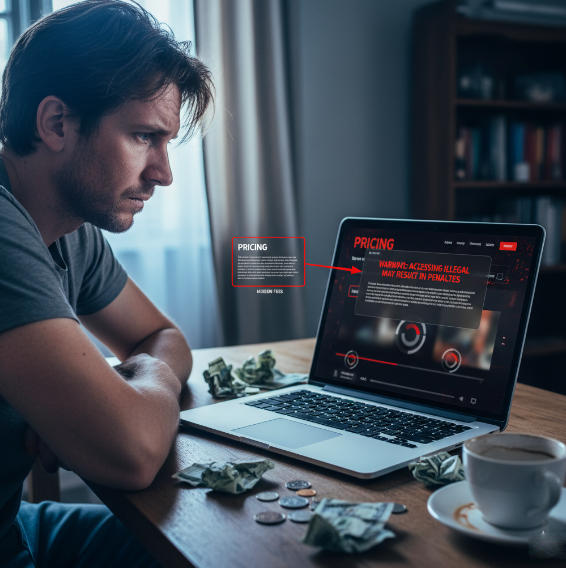
Red Flags to Avoid When Choosing IPTV Providers
Shady IPTV providers are everywhere, and spotting trouble early can save you cash and headaches.
Hidden fees pop up after sign-up, so always read pricing carefully.
Illegal content offers may sound tempting but could put your business at risk. (Courts and enforcement agencies are very active—see the Guardian’s coverage of a major UK streaming gang sentencing here and ACE/industry actions here.)
Frequent buffering issues and unreliable streaming usually signal poor infrastructure.
Poor customer support and weak security risks add to the warning signs. The safest bet is sticking with IPTV providers who show clear licensing and transparent practices. (You can also sanity-check with a short free IPTV trial before you commit.)
How to Stream Educational Content and Kids Programming Safely
Turn on parental controls to block unsafe or age-inappropriate shows.
Check privacy settings on Smart TVs, Tablets, and Streaming Sticks.
Manage screen time limits so children aren’t glued to Music Channels or Kids Programming all day.
Educational content should be sourced from verified IPTV providers that guarantee compliance with online safety standards. Short tip: safe streaming isn’t about limiting fun—it’s about creating a secure setup for everyone. For vetted content access and device setup, start with our What is IPTV hub and the IPTV setup guide.
Conclusion
Let’s face it — the IPTV world can feel like the Wild West. One minute you’re streaming your favorite Sports Channel on a Smart TV, and the next, you’re wondering if a copyright lawyer might come knocking. The truth? Legality isn't about how fancy the app looks or how many channels you get — it's about proper licenses and sticking to the rules.
So, before you jump into a too-good-to-be-true deal, take a breath. Cheap isn’t always smart, especially when it smells fishy. If you want a provider that foregrounds compliance and quality (SD/HD/4K/8K, adaptive delivery, 24/7 support), compare our IPTV subscription plans or test an IPTV free trial.
As copyright attorney Jennifer Pariser once said, “Access doesn't equal ownership.” Just because something’s easy to watch doesn’t mean it’s legal to stream. IPTV can absolutely be legit — just make sure it’s backed by the right permissions. Stay curious, ask the hard questions, and protect your business from messy surprises. For next steps, read our full What is IPTV guide and get set up fast with the IPTV setup guide.
IPTV Legal & Usage FAQ
Is it legal to watch IPTV at home?
Stick with services that have proper streaming rights.
Avoid apps offering every Sports Channel or Movie Channel for free.
Look for platforms available on Smart TVs and official app stores.
Sketchy apps or super cheap prices are red flags.
What licenses make an IPTV service legal?
A provider needs permission to show movies, shows, and live channels. These rights usually come from the studios, broadcasters, or copyright owners of the content.
Can I use IPTV in a hotel or hospitality business?
Home accounts don’t cover multiple rooms or public displays.
Business use requires rights for public or commercial broadcasting.
Use IPTV solutions made specifically for hotels, bars, or restaurants.
What types of IPTV providers should I avoid?
No licensing or unclear legal terms
Offers every premium channel for a small flat fee
Requires a VPN to work or uses third-party apps
Crypto-only payments or no customer support
Is it legal to stream kids programming in classrooms?
It’s fine if the IPTV provider’s license covers classroom or group viewing. Many services require additional rights for educational or kids programming shown to multiple people.
What content is most regulated under IPTV laws?
Sports events
News programs
Documentaries
Kids shows
Reality TV with licensed music or logos
Can IPTV be used legally over any network connection?
Yes. You can stream IPTV via Wi-Fi, broadband, or fiber — as long as the provider is licensed to distribute the content legally.
Are cloud DVR and catch-up features legal in IPTV apps?
Cloud DVR requires permission to record copyrighted content.
Catch-Up TV must be authorized by rights holders.
Offline downloads should also be cleared for distribution.
Which devices support legal IPTV usage in businesses?
Smart TVs, tablets, set-top boxes, and streaming sticks are all fine — as long as the IPTV service license covers public or commercial viewing.
What are the penalties for using illegal IPTV services?
Fines or legal action may occur if you stream unlicensed sports, movies, or channels in public spaces such as bars, hotels, or stores.