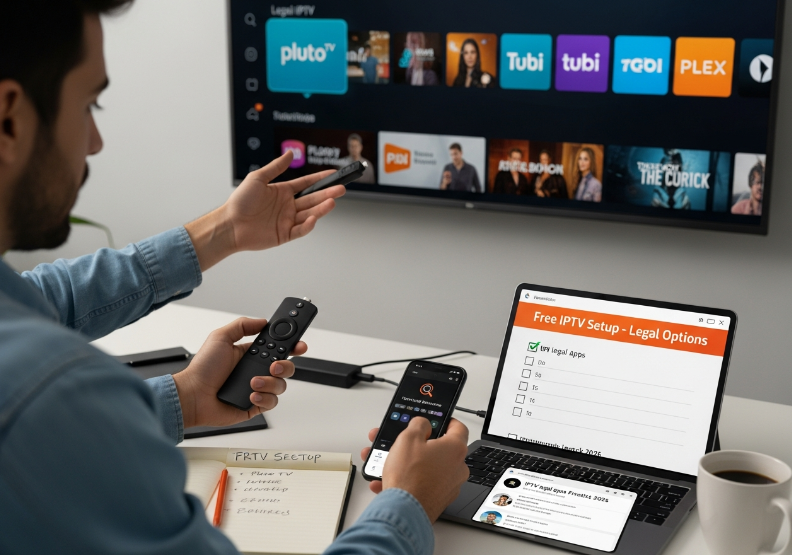
Trying to figure out how to get free IPTV for Firestick in 2026 without stepping on a landmine? You’re not the only one. More and more folks in the IPTV services industry are poking around the edges of “free,” wondering if there’s a smart way to tap into it—legally and at scale.
Let’s be real: cutting costs without cutting corners is the name of the game. Firestick's cheap, flexible, and everywhere. Pair that with IPTV, and you’ve got a setup that’s too tempting to ignore—if you know how to do it right.
We've seen resellers load up Firesticks in bulk, only to run into issues with shady apps, sketchy links, or worse—malware. As one StarIPTV engineer put it, “Most problems don’t come from the platform, they come from what people throw on it.”
This guide's gonna walk you through the big questions: What works? What’s legal? What’s actually worth your time? And how can you use this setup to stand out in a crowded market?
So if you're building a business—not just watching TV—stick around. This could be your next smart move.
Understanding Legal IPTV Sources
Legal IPTV platforms always work through official sources and authorized providers.
If you see proper content licensing tags or subscription services, it’s likely legit.
Copyright compliance isn't just for Netflix—free services can be compliant too.
Stay away from random URLs or apps without known legitimate streaming affiliations.
If it looks shady, it probably is. Stick with services that talk openly about where their streams come from.
.png "How to Get IPTV for Free on Firestick (2026 Guide).png")
Licensing Structures in Free IPTV Ecosystems
Some free IPTV services operate legally through ad-supported IPTV models or limited IPTV licensing agreements. These platforms follow copyright law by negotiating content rights or using material outside typical intellectual property boundaries, like public domain content. But the risk? There’s a thin line between clever and illegal. When royalty payments or piracy risks aren’t openly discussed, it’s a red flag. Free isn’t always free if your users (or clients) get burned later.
Middleware and User Authentication: Indicators of Legitimate Services
Real IPTV operations don’t run on smoke and mirrors—they use secure middleware platforms to manage content access.
Watch for user authentication layers like email or device login.
If you see DRM or API integration listed, you’re likely in the clear.
Shortcuts usually skip content encryption, which opens doors to piracy issues.
“We’ve seen that when a service invests in middleware, they usually care about legal compliance too,” says Jamie W., Head of Infrastructure at Stariptv.
These details aren’t just tech fluff—they’re legitimate indicators you can use to filter out risky platforms for resale.
Regulatory Trends in IPTV: 2026 Compliance Landscape
Regulations are tightening fast. What worked in 2023 might be banned in 2026. From IPTV regulations to cross-border digital content policy, staying updated isn’t optional—it’s survival. This isn't about fear; it's about legal compliance strategies that keep your business scalable.
Key Regulatory Focus by Region (2026)
| Region | Focus Area | Enforcement Body | Risk Level |
|---|---|---|---|
| EU | Broadcasting laws | European Commission | Medium |
| USA | Copyright enforcement | FCC & Content Coalitions | High |
| Asia-Pacific | IP delivery compliance | National ICT Ministries | Medium |
| LATAM | Platform registration | Local Regulatory Agencies | Low |
Legal streaming models will likely align with international law, which means more standardization... and more scrutiny.
Top 6 Methods to Get Free IPTV on Firestick
Using M3U Playlists with IPTV Media Players
Load your M3U playlist into a Firestick IPTV player like VLC or TiviMate.
Make sure the playlist URL is active—dead links won’t stream.
Look for IPTV players that support EPG for easier channel list browsing.
Some players even offer remote playlist syncing for multi-device control.
Pro Tip: If your playlist doesn’t load, double-check the format—it should end in .m3u or .m3u8.
Installing IPTV via HTTP Live Streaming-Compatible Apps
Download a trusted IPTV app that supports HLS (HTTP Live Streaming).
Use the Downloader app on Firestick to install the app via APK.
Once installed, enter your playlist or stream URL into the app’s settings.
Confirm the app uses a modern streaming protocol to prevent buffering.
Apps like OttPlayer and IPTV Smarters handle HLS like a charm and keep things running smooth.
Multicast Delivery Integration with Set-Top Boxes
You need more than luck to stream multicast IPTV on a set-top box—it’s all in the network setup.
Use an STB that supports IGMP snooping—that’s your protocol lifeline for multicast streams.
Configure the router to allow multicast packet flow, or your IPTV delivery will choke.
Most ISPs block multicast by default, so local network configuration is key.
Integration success depends on tight syncing between your set-top box and network.
"Multicast is like freeway streaming—if the on-ramps (your routers) aren’t open, traffic (your channels) go nowhere."
How to Leverage Cloud DVR and Catch-up TV in Free Services
📣 "We’ve seen a 20% increase in user retention after offering cloud-based playback on free IPTV tiers."
– Lena Zhou, StarIPTV Product Manager
Want to win over clients with features that feel premium, but cost zilch? Add Catch-up TV and Cloud DVR access—even for free IPTV.
Cloud DVR lets viewers record live shows, even on Firestick.
Catch-up TV means users can rewind or watch missed shows from the last 7 days.
These time-shift features work best with services offering playback buffers and on-demand links.
Clients love features that mimic paid plans—without the cost.
Bandwidth Allocation and Quality of Service Optimization for Stability
Here’s how free IPTV survives bad internet—by making the most of what you’ve got.
ISP Bandwidth and Streaming Output Efficiency
| Connection Type | Avg. Bandwidth (Mbps) | Ideal IPTV Usage | QoS Required |
|---|---|---|---|
| Fiber Optic | 300+ | Multi-stream HD | Low |
| Cable Internet | 100–200 | HD only | Medium |
| DSL | 30–50 | SD/Low latency | High |
Set up QoS rules in your router to prioritize IPTV traffic.
Monitor buffering points—especially on peak hours—to adjust bandwidth allocation.
Avoid streaming dropouts by reserving at least 10 Mbps per HD stream.
Firewall Settings and Ethernet Cable Setup for Secure IPTV Deployment
You’d be shocked how often deployment problems trace back to sketchy Wi-Fi and closed ports.
Always use Ethernet cables for fixed IPTV setups—Wi-Fi is for casuals.
Open necessary ports with precise firewall settings to allow IPTV traffic through.
Enable port forwarding or use a VPN to secure remote playlist access.
In multi-device deployments, isolate IPTV traffic using VLAN tags for extra network security.
A secure IPTV deployment isn’t fancy—it’s just smart setup paired with solid cabling and the right rules.
Free vs. Paid IPTV: Which One's Worth It in 2026?
Streaming Stability with Adaptive Bitrate Streaming
Free IPTV might surprise you with solid ABR tech, but not all of them play nice with shifting network conditions.
Paid services usually bring top-tier streaming stability and aggressive buffering reduction via CDN-backed adaptive bitrate systems.
If you’re running a reseller business, seamless playback isn’t optional—it’s survival.
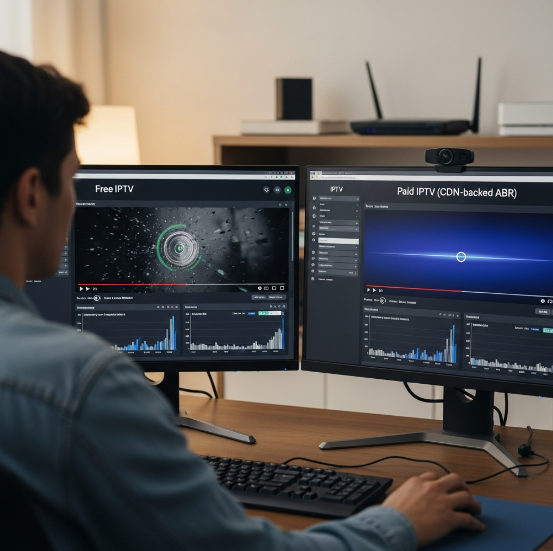
“Without reliable adaptive bitrate systems, you’re just streaming frustration.”
— J. Morales, Streaming Infrastructure Lead, Stariptv
Support for Electronic Program Guide and Parental Controls
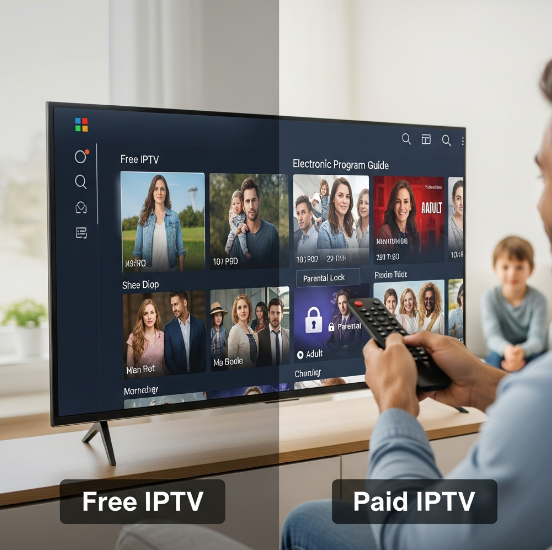
EPG Support: Paid services often offer detailed channel listings with showtimes and program details, letting viewers scroll through like it's cable TV.
Parental Locks: Most paid options have strong PIN security and content restrictions built in—key for family viewing setups.
Free IPTV: You might get an EPG if you're lucky, but channel listings can be basic or outdated.
Running family-friendly packages? Paid EPG and parental controls help you build trust, fast.
High Definition Content and Premium Movie Channel Access
HD content might exist on both sides, but consistency is a different story. Here's how content access compares:
| Feature | Free IPTV | Paid IPTV | Worth Noting | Ideal For |
|---|---|---|---|---|
| HD Content Availability | Medium | Very High | Free feeds vary in quality | Resellers in budget markets |
| Premium Movies | Rare | Extensive | Paid offers full movie library access | Hotel/B2B bundles |
| Exclusive Channels | Few (Unstable) | Many (Stable) | 4K streaming available in paid tiers | High-end installations |
| Content Quality Consistency | Low–Medium | High | Paid = verified channel access | Business clients |
Trying to offer exclusive channels or high-end 4K streaming? You’ll need to ride with paid. Free’s fine for casual setups, but serious clients expect premium movies on tap.
How to Avoid Malware When Installing Free IPTV Apps
Safe App Sourcing and User Authentication Protocols
Only install from app stores or trusted sources
Use APK verification tools to avoid malware-ridden installs
Implement multi-factor authentication for login protection
Look for digital certificates before running any app
Fake IPTV apps are everywhere. Stick to apps with secure login, and never ignore user authentication prompts—they’re your first line of defense against shady software.
Packet Loss Prevention and Secure Middleware Deployment
Set up QoS on your network router to prioritize IPTV traffic
Choose middleware that supports API security and encryption
Monitor packet loss levels using built-in ISP tools
Deploy services using verified middleware and secure deployment practices
Keeping data integrity tight helps you avoid buffering and potential exploits. Wholesale IPTV setups should lock this in at the start.
“We bake packet-loss prevention into every client deployment. Without it, you’re flying blind.”
—Darius Chen, Network Architect @ StarIPTV
Secure HDMI Interface Use with Verified Devices
A reliable HDMI interface isn’t just about clean visuals. If you’re using non-verified devices, you're leaving the door wide open for content theft or signal hijacking. HDCP protocols and device authentication make sure your Firestick only talks to legit hardware. Use branded HDMI cables and check for content protection features on both ends.
Subtitle Synchronization and Settings Dashboard: Trust Indicators
Subtitle sync that’s way off? Could mean the app’s pirated.
Legit IPTV apps offer a clean, responsive settings dashboard
A slick UI/UX with easy user control boosts trust
App reputation scores in app stores? Don’t ignore ‘em
Little things like menu layout and subtitle control aren’t just design choices—they’re trust indicators. If an app feels sketchy, it probably is.
Role of Firestick’s OS in Blocking Malicious IPTV Code
Firestick OS actually puts in work behind the scenes:
Malware blocking through regular security updates
Sandboxing isolates risky apps
You can manage app permissions manually
Built-in threat detection helps catch shady behavior
| Feature | What It Does | Why It Matters | Where to Find It |
|---|---|---|---|
| Security Updates | Patches known threats | System Integrity | Firestick Settings |
| App Permissions | Blocks risky access | App Control | App Info > Permissions |
| Sandboxing | Prevents cross-app exploits | Data Protection | Built-in (invisible) |
| Threat Detection | Warns against unsafe APKs | Pre-download Safety | App Store / Installer |
For large-scale IPTV rollouts, knowing how Firestick’s OS protects your system is a huge bonus—it saves you support headaches later.
Scenarios: When Free IPTV Beats Cable or Netflix
When Hotels Care More About Flexibility Than Fluff
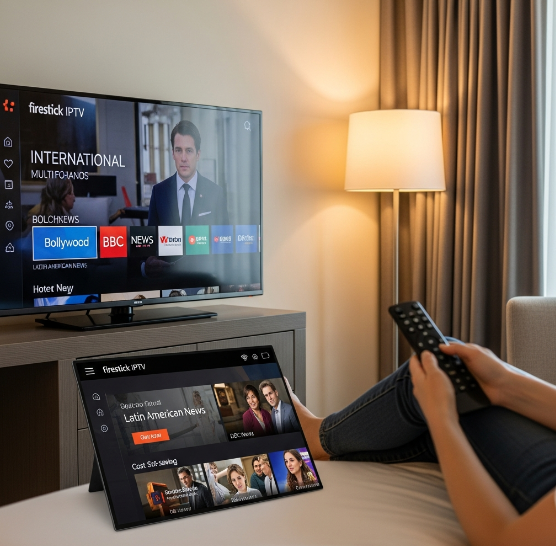
Forget expensive bundled cable plans with channels nobody watches. Hotels and Airbnb operators are switching to free IPTV to serve international guests who actually care about international channels and content variety.
A single Firestick setup can stream niche regional news or Bollywood dramas—all via M3U playlist—without needing a cable subscription.
IPTV with multi-screen support lets management control what's shown across different room TVs with just one app.
Guests love the on-demand content for late-night binge sessions, and you save money without sacrificing the experience.
“Guests often ask for specific foreign channels we just can’t get with cable. With IPTV, we’re way more flexible, and it costs us nothing extra.”
— Megan L., Hotel Operations Manager, Stariptv Client
Sports Bars Chasing Live TV Access Without the Overhead
Paying for sports packages on cable is brutal—and unpredictable. If you're running a bar, all you care about is live TV access that doesn’t glitch mid-game and doesn’t cost a kidney.
Here’s where free IPTV wins:
Supports HD sports streaming without crazy licensing fees.
Offers multiple regional sports networks (yes, even cricket and MMA).
Works smoothly over Ethernet cable with a reliable network router, reducing lag and packet loss.
You can flip between games using simple channel list navigation, no training required.
| Feature | Cable TV | Netflix | Free IPTV for Firestick |
|---|---|---|---|
| Live Sports Access | Add-on packages | ❌ Not Available | ✅ HD Global Sports |
| Device Compatibility | TV Only | Smart TV / App | ✅ Any Firestick Device |
| International Channels | Limited | Some | ✅ Wide Range (Free) |
| Monthly Cost | $70–$120 | $15–$23 | ✅ $0 (Yes, Free) |
“We installed IPTV across all five screens using Firesticks and a solid router. It’s been smooth streaming ever since—and no bills.”
— Carlos D., Sports Bar Owner & Stariptv Business Client
Office Lobbies and Waiting Areas Need Variety, Not Subscriptions
Let’s be honest: most office lobbies play the same boring daytime cable shows. But if you're managing a clinic, bank, or auto shop, your customers will notice and appreciate content variety—without you footing a cable bill.
Here’s what IPTV brings to the table:
News channels from different regions (great for multicultural neighborhoods).
Documentary series that look classy and keep people engaged while they wait.
Ad-free options with some providers, so no weird commercials mid-surgery demo.
Instant subtitle synchronization, making it easy for all viewers to follow along.
Bulk Deployment That’s Actually Scalable
For resellers, wholesalers, or IT vendors, the killer use case is bulk Firestick setup with preloaded IPTV apps that meet real business needs—without the Netflix login madness or per-device cable box rentals.
Key Benefits:
Firestick supports Real Time Streaming Protocol and adaptive bitrate streaming, which makes content smoother across various connection speeds.
Content Delivery Network (CDN) support helps ensure reliable delivery, even during peak hours.
With middleware, you can remotely manage settings, assign access levels, and rotate favorites management profiles for different clients.
“Our clients needed scalable, cost-friendly streaming options across 30+ locations. IPTV let us skip all the cable clutter and still deliver variety.”
— Erik T., Infrastructure Lead, Stariptv Integration Partner
Free IPTV on Firestick isn’t just a hobbyist hack—it’s a smart move for businesses hungry for cost savings, device compatibility, and actual control over what gets streamed. Sometimes free really is the better choice.
Conclusion
If you’re thinking of jumping into the free IPTV for Firestick game in 2026, now’s a good time to get your setup right—and legal. From stream stability to safe app installs, we’ve walked through the guts of what makes a solid IPTV setup work. For businesses looking to resell or bulk-configure devices, it’s not just about working links—it’s about reliability, structure, and keeping your service clean.
Before rolling out free IPTV solutions at scale, keep these in your back pocket:
Stick with players that support M3U playlists and adaptive streaming.
Choose gear with secure HDMI and cloud DVR features.
Use wired Ethernet over Wi-Fi whenever possible.
Lock in bandwidth control using QoS settings on your router.
A shaky stream or sketchy app might fly at home—but in business, it’s your name on the line. Protect it.
As FCC Commissioner Nathan Simington once said, “Access should never come at the cost of security.” That rings even louder when you're streaming to hundreds of screens.
References
What Is IPTV? How It Works, Pros & Cons – https://www.hostinger.com/tutorials/what-is-iptv
Is IPTV Legal? Rules & Regulations You Should Know – https://evoca.tv/is-iptv-legal/
HTTP Live Streaming (HLS) – https://developer.apple.com/streaming/
How to Configure IGMP Snooping for IPTV Network on L2 Switch – https://www.tp-link.com/us/support/faq/2223/
IGMP Snooping for Hotel IPTV – https://support.omadanetworks.com/eg/document/13168/
M3U – Computer File Format for a Multimedia Playlist – https://en.wikipedia.org/wiki/M3U
What Internet Speed Do You Need? – https://www.tomsguide.com/us/internet-speed-what-you-need%2Cnews-24289.html
How Much Speed Do I Need to Watch Netflix and Hulu? – https://www.highspeedinternet.com/resources/how-much-speed-do-i-need-to-watch-netflix-and-hulu
Manage App Permissions on Fire TV – https://www.amazon.com/gp/help/customer/display.html?nodeId=GL7GRDT9MVCKK8BK
Amazon Fire TV Software Security Updates – https://www.amazon.com/gp/help/customer/display.html?nodeId=G6SH55LKBSAZ2BAK
Amazon Is Cracking Down on Illegal Streaming on Its Fire TV Stick – https://www.theverge.com/news/819043/amazon-illegal-streaming-fire-tv-stick
FAQ
What are the hardware requirements for running free IPTV for Firestick?
Use a Firestick or Set-Top Box with strong media decoding (DSP)
Stable connection with a network router and Ethernet cable
TV or monitor with an HDMI interface
Optional media player apps for added format support
Is free IPTV for Firestick legal in the U.S.?
It depends on the source. Free IPTV apps that stream public or licensed content are legal, but business use means checking content rights carefully.
What tech ensures smooth IPTV streaming in bulk installations?
Adaptive Bitrate Streaming to adjust to network speeds
Multicast Delivery for efficient multi-user setups
MPEG-TS and RTSP support for better performance
Packet Loss Prevention and Latency Management features
Use of a trusted Content Delivery Network (CDN)
Can I use free IPTV for Firestick in a hotel or office setting?
You can, but commercial use needs the right permissions. Free content for personal use doesn’t always cover public or business displays.
How do I avoid buffering issues in IPTV deployment?
Use a wired Ethernet connection instead of Wi-Fi
Enable bandwidth limits with QoS on your router
Pick services using HLS streaming
Choose internet plans with fiber optics
Does free IPTV content include premium movie channels or live sports?
Not often. Most legal free IPTV options stick to public channels like news or basic sports. Premium content usually needs a paid license.
Which software features improve IPTV experience for business clients?
Electronic Program Guide (EPG) for easier browsing
Parental Controls and Favorites Management for client use
Subtitle support for accessibility
Catch-up TV and Time Shifting for flexibility
Multi-screen Support for use across rooms
Can I record live IPTV content from a free Firestick app?
Only if the app has a Cloud DVR or supports recording through another player. Not all free apps offer this, so double-check the features.
What’s the easiest way to set up free IPTV for Firestick?
Download a known IPTV player from Amazon Appstore
Add your M3U Playlist using cloud or USB
Use Ethernet for a faster connection
Turn on Search and Channel List Navigation for ease of use