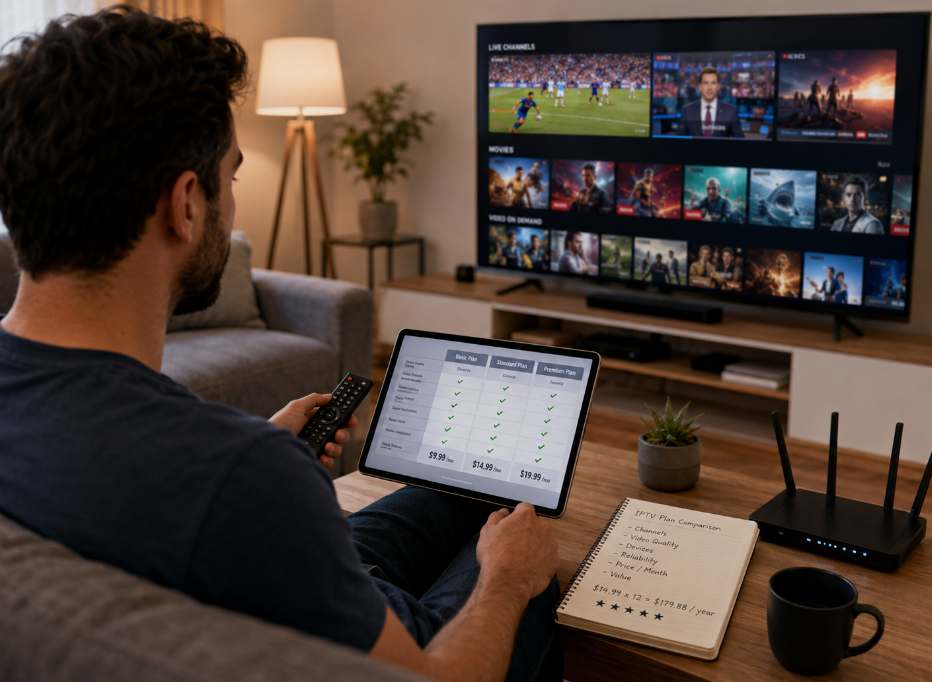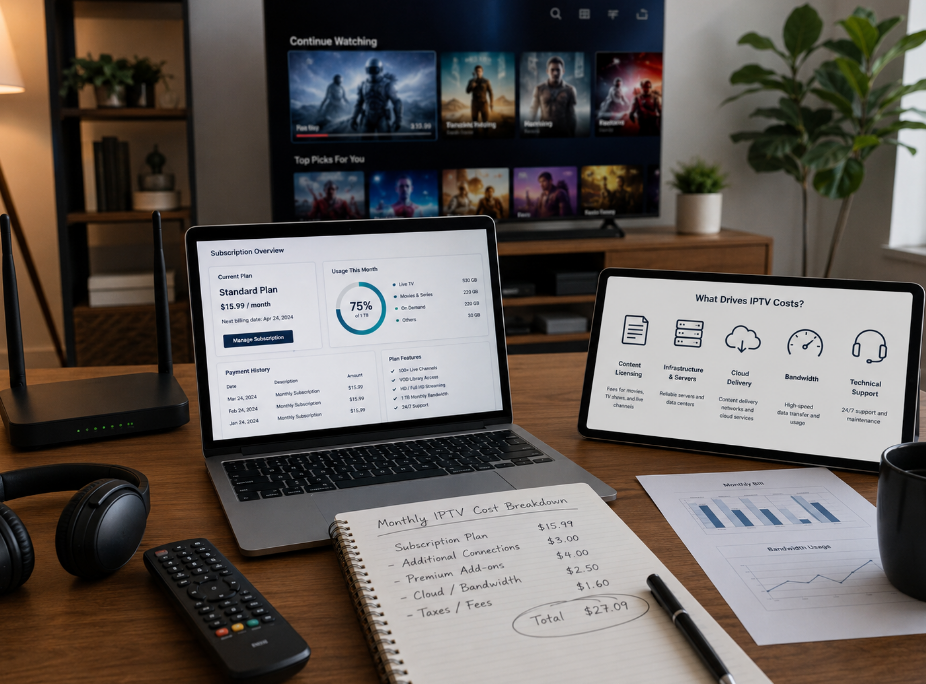
Starting a free trial of iptv sounds easy enough, but for wholesale buyers, it is a lot more than kicking the tires. A trial is your first real look under the hood. If the stream stutters, the apps clash with devices, or the terms feel slippery, that is a red flag you cannot brush off.
A big channel list may look shiny on paper, but that does not mean much when playback falls apart during peak hours. In this business, flashy numbers can be smoke and mirrors. What matters is steady performance, content fit, and a setup your customers will not complain about every other day.
That is the real gut check.
StarIptv teams often stress a simple point: a trial should reduce risk, not just spark interest. That means checking compatibility, stability, billing terms, and cancellation rules before you get too far down the road.
This article gets straight to the pain points that matter in 2026. It helps you sort the real deal from a bad bet, so you can judge an IPTV provider like a serious buyer, not someone just window-shopping.
Free Trial of IPTV: Device Compatibility Basics
Testing M3U Playlist support across every media player
Start with the simple stuff: load the same M3U Playlist into VLC Media Player, IPTV Smarters, and Perfect Player. Check if the URL opens cleanly, if M3U8 streams stay live, and if the playlist parser keeps channel names tidy. Then test EPG loading and broken streaming link behavior. If one player works and two choke, that is a supplier warning, plain and simple.
Smart TV app, web player, and mobile application readiness
Buyers in the IPTV trade hate app drama. Test the Smart TV app on Samsung Tizen, LG webOS, and Android TV, then open the web player on desktop and try the mobile application on iOS. Look for cross-platform consistency, clean user interface flow, and smooth access from the app store. If the login steps feel clunky, end users will bounce fast.
Set-top box deployment and plugin integration requirements
For wholesale use, box support is a big deal. Check these points:
MAG box login by portal URL
Enigma2 and DreamBox setup flow
STB emulator behavior on test devices
firmware compatibility after reboot
hardware acceleration during live playback
middleware handoff without weird errors
If setup turns into a headache, support costs go up and margins get squeezed.

Video codec, transcoding, and high-definition resolution checks
Test H.264 streams on standard devices.
Load H.265 HEVC feeds and watch older boxes closely.
Check 4K UHD playback under normal bitrate loads.
Compare AV1 support on newer apps.
Watch buffering, frame rate, and latency during channel switching.
A trial that looks sharp in screenshots but falls apart in motion is not ready for real buyer volume.
Middleware compatibility before wholesale rollout
A reseller cannot live on pretty channels alone. The service has to connect cleanly with Stalker Portal, Xtream Codes, or Ministra stacks. Test the API, inspect the backend, and confirm user authentication works without manual patching. Then review the billing system link and server-side session handling. If the supplier’s trial sits outside your normal ops flow, scaling it later will be a pain.
Buffering vs. Stability: Which Matters More?

Latency or packet loss
Ping shows delay; Jitter shows inconsistency. Both mess with real-time streaming.
Packet loss during data transmission can trigger frame drops, audio drift, and random freezes.
On UDP delivery, tiny losses can snowball fast when network congestion kicks in.
Watch live sports and fast news feeds.
Test at peak hours.
Note how fast the stream recovers after hiccups.
Internet speed and bandwidth consumption
A supplier may brag about speed, but buyers should check actual Mbps needs per stream. 4K resolution pushes higher bitrate, which can burn through a data cap fast. Good download speed on fiber optic helps, but flaky Wi-Fi still ruins the vibe. On newer setups like Wi-Fi 7, test several devices at once and log bandwidth use during peak viewing, not just one clean demo stream.
CDN strength and ISP throttling risks
A solid Content Delivery Network with good server proximity cuts startup lag.
Traffic shaping and bandwidth limiting by an ISP can wreck stream quality even when raw speed looks fine.
Ask if VPN use affects playback or triggers blocks.
Check for signs of Deep Packet Inspection interference.
Suppliers using edge computing usually handle busy-hour demand better.
If the picture falls apart only at night, that is a red flag, plain and simple.

Buffering optimization with HLS and multicast
Check if HTTP Live Streaming switches quality smoothly through Adaptive Bitrate.
Open the M3U8 stream and watch how segmenting behaves during network dips.
For large-scale delivery, ask where IGMP and multicast fit in the workflow.
Review stream caching behavior inside the video player and middleware path.
Good buffering optimization is not just nice to have. For wholesale IPTV, it saves support costs and keeps end users from bouncing.
Too many channels? Focus on content quality first
Channel list depth beyond inflated volume claims
Big numbers can be a bit of a trap. Check the channel depth, not just the sales pitch.
Are the usable channels actually watchable all day?
Is the channel selection packed with repeats, dead links, or filler?
Does channel relevance match your target market?
Good trials show channel quality, real content variety, and less fluff. That is how you spot inflated claims before signing anything.
Live sports, news channels, and local broadcasts relevance
For wholesale buying, these three usually carry the load:
Live sports for retention and weekend spikes
News channels for daily stickiness
Local broadcasts for market trust
If sports coverage lags, users bail fast. If news relevance feels weak, daily viewing drops. If local content and regional channels are missing, the package can feel off for local resellers.
International cinema, documentaries, and reality TV mix
This is where content flavor really shows. A smart mix of international cinema, documentaries, and reality TV gives buyers more ways to serve different viewer moods. Some users want global movies and broad film genres. Others stay loyal to factual programming or light, easy diverse content after work. If the catalog feels one-note, churn can creep in. If it feels balanced, the offer becomes much easier to sell.
Catch-up TV and Video on Demand (VOD) value
Does catch-up TV cover key channels or just a few random ones?
Is the Video on Demand catalog fresh enough to matter?
Can users find on-demand content fast, without digging around?
Are replay features smooth during busy hours?
Do content archives support real binge-watching habits?
A weak VOD library makes the service feel old-school, plain and simple.
EPG accuracy and content navigation quality
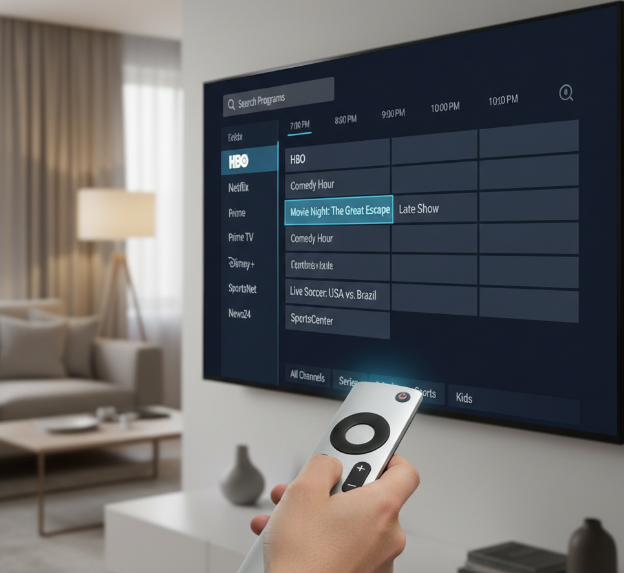
Bad guides are a real headache.
EPG accuracy matters. Wrong times kill trust.
Electronic Program Guide data should update fast.
Content navigation should feel smooth, not messy.
The user interface needs clean menus.
Search functionality should find shows without weird misses.
Good channel browsing keeps users moving.
Strong guide reliability cuts complaints and makes the whole platform feel more legit.
Sports nights, family viewing, and on-the-go streaming
What real buyers should look for
Live sports under pressure
Sports fans are brutal on poor streaming quality. During peak matches, latency, bandwidth swings, and buffering show up fast. If the trial can’t stay smooth here, that’s a red flag.Family-friendly viewing flow
Households want simple access to different content at the same time. A strong service should support a clean channel lineup, solid multi-device support, and easy-to-manage parental controls.Mobile viewing that actually works
A lot of end users watch on the move now. The mobile app should load fast, keep the stream stable, and avoid ugly drops in picture quality when the connection changes.Picture quality that matches the promise
If the provider advertises 4K resolution, the trial should prove it with smooth playback, not just a label on a landing page.Travel and location flexibility
For some markets, VPN compatibility matters. If mobile users travel or sign in from different regions, the app experience should stay usable and predictable.
A simple buyer test flow
Open a live sports event during peak hours
Check startup time, picture stability, and how often buffering shows up.Run two common household scenarios
Put one stream on a TV and another on a phone or tablet. This is where multi-device support gets real.Test the kids experience
Review how parental controls work in day-to-day use. If setup is clunky, support costs go up later.Leave Wi-Fi and switch to mobile data
That move tells you a lot about the mobile app, latency, and how well the service handles changing bandwidth.Check the channel lineup by user type
Sports fans, families, and commuters all care about different content. A trial should make that easy to verify, not a guessing game.
Quick-read buyer notes
Live sports users want speed, low delay, and less buffering.
Family users care about easy navigation, shared access, and parental controls.
Mobile users want reliable streaming on unstable networks.
Premium users expect sharp image quality, especially with 4K resolution.
Travel-heavy users may ask about VPN compatibility before buying.
Trial-use scorecard
| Viewing scenario | What to test | Risk if weak | Wholesale takeaway |
|---|---|---|---|
| Live sports at peak time | Latency, buffering, stream recovery | User complaints and churn | Poor fit for sports-heavy markets |
| Family viewing at home | Multi-device support, parental controls, channel lineup | Higher support load | Weak household retention |
| On-the-go mobile streaming | Mobile app stability, bandwidth handling, VPN compatibility | Inconsistent user experience | Harder to sell to mobile-first customers |
That table matters because procurement teams are not just buying streams. They’re buying a customer experience that has to hold up across different habits, devices, and network conditions.
What a supplier interview should sound like
Q: How do you test sports traffic during a free trial?
Ethan Cole, StarIptv Network Engineer: “We watch peak-hour IPTV traffic like a hawk. If live sports can stay smooth when everybody jumps in at once, that tells you way more than a quiet daytime test.”
Q: What usually trips up family accounts?
Marisa Dunn, StarIptv Product Manager: “It’s rarely just content. It’s the little stuff—bad parental controls, messy channel lineup design, or weak multi-device support. That’s the stuff customers complain about at dinner.”
Q: What makes mobile streaming feel legit?
Jalen Price, StarIptv App Experience Lead: “The mobile app has to stay usable when bandwidth gets weird. If the video falls apart the second someone leaves Wi-Fi, users are gonna bail.”
The stuff buyers should not ignore
A provider can have a giant channel lineup and still fail where it counts.
Streaming quality during live sports tells you more than a polished dashboard ever will.
Buffering is not just a technical issue. It hits retention, word of mouth, and reseller credibility.
Weak parental controls can turn into a trust problem for family users.
Spotty VPN compatibility can limit appeal in travel-heavy or cross-border customer groups.
Bad latency makes premium sports packages a tougher sell.
Fake 4K resolution claims usually show up fast in motion-heavy content.
Subscription rules after the free trial of IPTV
Trial period limits and time-limited access rules
Check the duration and exact expiration time, not just the promo line. Some trials give 24-hour access only after manual approval, while others start the trial window the second the activation code is issued. Ask for fresh login credentials, test server uptime during busy hours, and confirm if expiry is tied to the account, device, or IP. For wholesale buyers, short access is fine if it still shows real service behavior.

No credit card required or hidden conversion triggers
Confirm if free signup is truly free
Check if billing info is requested later
Review the payment method flow after trial ends
Watch for hidden fees tied to activation or add-ons
Ask how verification affects the trial-to-paid path
Look at conversion rate claims with healthy skepticism
Read the privacy wording before sharing buyer data
Subscription plan structure for reseller evaluation
Ask for the full subscription plan map, not just the cheapest offer.
Review wholesale pricing and how many credits each package consumes.
Check if the reseller panel includes a clean dashboard for account control.
Confirm support for white label branding.
Compare tier system discounts for bulk purchase.
Estimate real profit margin after support and refund risk.
Auto-renewal and refund policy red flags
This is where a lot of buyers get burned. A nice trial means little if recurring billing starts quietly and subscription management is a pain. Read the terms of service for cancellation steps, the actual refund window, and any limits on a money-back guarantee. Also check how disputes are handled if a chargeback happens. If the wording feels slippery, that’s your cue to slow down.
Concurrent connections and multi-screen support terms
Simultaneous streams: Ask how many work at once on one account.
Device limit: Some plans cap logins hard, even during trials.
IP lock: A strict rule can hurt families and reseller demos.
Multi-room: Useful if buyers serve homes with several screens.
Smart TV / mobile app: Test both, not just one device.
Bandwidth: More screens can expose quality drops fast.
Connection limit: Get the number in writing.
Geographic restrictions affecting wholesale expansion
A trial should show how the service behaves across target markets, not just one lucky region. Check for geo-blocking, blocked regional content, and weak coverage outside core global servers. Ask how licensing affects local channels, and test with different IP address locations where legal. Some suppliers say “global,” but real market reach can be narrow. VPN support also matters if your buyer base travels or operates across borders.
Quick checklist for trial rules
Privacy, payments, and cancellation terms
Terms of service and privacy policy review basics
Check the user agreement like a buyer, not a casual viewer. Look for legal clauses on uptime, account limits, and reseller use. Scan how data collection works, what cookies track, and any third-party sharing tied to ads or analytics. A legit service provider should explain privacy rights in plain words. If the wording feels fuzzy or slippery, that is a red flag for wholesale procurement.
Instant activation with transparent billing safeguards
Fast signup is nice, but don’t get fooled by flashy instant activation. Check:
real setup time
full trial duration
exact subscription start
any credit card authorization
invoice transparency
If the page says “no wait” but hides hidden fees or sneaks in automated billing, that is bad news. For procurement teams, clean trial entry usually signals cleaner vendor ops later.
Payment flow risks during trial conversion
Use this quick test:
Review the payment gateway and confirm secure checkout.
Check if auto-renewal is pre-enabled.
Match the billing cycle to the trial end date.
Read the refund policy for failed cancellation cases.
Limit exposed financial data where possible.
A lot of trial offers look cheap, then hit buyers with recurring charges right after conversion. That is the stuff that burns trust fast.
Cancellation steps before procurement commitment
Before scaling anything, do a dry run of the exit path. Open the account dashboard, find the unsubscribe button, and confirm the notice period. After cancellation, wait for a confirmation email and save it. Also check rules around trial expiration, customer support response time, and the termination clause. If ending service feels like a maze, the vendor may be trouble once real money is on the line.
VPN compatibility and data privacy concerns
For cross-region testing, ask how the platform handles a virtual private network. Key checks:
VPN compatibility
visible geo-blocking
impact on streaming speed
supported tunneling protocol
stated no-logs policy
Also see how the system treats your IP address, encryption, and traffic under possible ISP throttling. For wholesale buyers, this matters a lot, since region access and privacy headaches can turn into support chaos pretty quickly.
Cancellation & privacy steps
Conclusion
Picking an IPTV provider without a checklist is a lot like buying a used car after one quick lap around the block. A free trial of iptv gives you a chance to pop the hood and see what is really going on. Device fit, stream stability, content quality, billing rules, and privacy terms are the big make-or-break points.
A flashy channel list can look great on paper, but that does not mean much if buffering keeps crashing the party or the trial rolls into auto-renewal without a clear heads-up. For wholesale buyers, the pain points are pretty clear: weak compatibility, shaky performance, fuzzy legal terms, and cancellation steps that feel like a wild goose chase.
Use the checklist, trust your gut, and do not get lured in by bells and whistles. A good trial should clear things up, not throw up more red flags.
References
FAQ
What should I check before starting a free trial of IPTV?
Check your Smart TV app, web player, mobile application, or set-top box. Review the channel list, EPG (Electronic Program Guide), and Video on Demand (VOD). Test Internet speed, latency, and buffering optimization. Also read the terms of service, privacy policy, and auto-renewal rules before you go further.
Why does buffering matter more than a huge channel list?
A huge channel list means little if streaming speed drops, packet loss kicks in, or the Content Delivery Network (CDN) struggles. Most buyers care more about smooth viewing than empty hype.
How do I know if a free trial of IPTV is really risk-free?
Check if it says no credit card required. Confirm the trial period, subscription start, and refund policy. Watch for automated billing and hidden billing cycle terms. If the wording feels sneaky, that is a bad sign.
Which playback devices matter most during testing?
Focus on a media player, desktop client, Smart TV app, mobile application, and set-top box. That mix gives a solid read on daily user experience.
What content areas should a free trial of IPTV help me evaluate?
Main categories like live sports, news channels, local broadcasts, and kids programming should be tested first. Then check extra value from international cinema, documentaries, and reality TV. Added features like Catch-up TV, Pay-per-view events, and Video on Demand (VOD) also matter, along with easy browsing through EPG (Electronic Program Guide).
How important are streaming protocols in a trial?
Very important. Support for HLS (HTTP Live Streaming), M3U Playlist, Multicast, and Transcoding can show how well the service handles quality, scale, and device support.
What billing checks should I make after a free trial of IPTV starts?
Track the trial duration and trial expiration. Check the payment gateway and secure checkout. Look for recurring charges, auto-renewal, and hidden fees. Save the invoice and confirmation email.
Why should wholesale buyers care about privacy policies?
A weak user agreement can expose financial data, allow broad data collection, or permit third-party sharing. Buyers want a service provider with clear privacy rights.
How can I cancel a free trial of IPTV without getting burned?
Open the account dashboard and find the unsubscribe button. Check the notice period and termination clause. Ask customer support what happens next. Keep the confirmation email for proof.
Does VPN compatibility really matter for IPTV testing?
Yes. VPN compatibility, geo-blocking, IP address handling, encryption, and ISP throttling can change access and playback. A shaky virtual private network experience is a red flag.