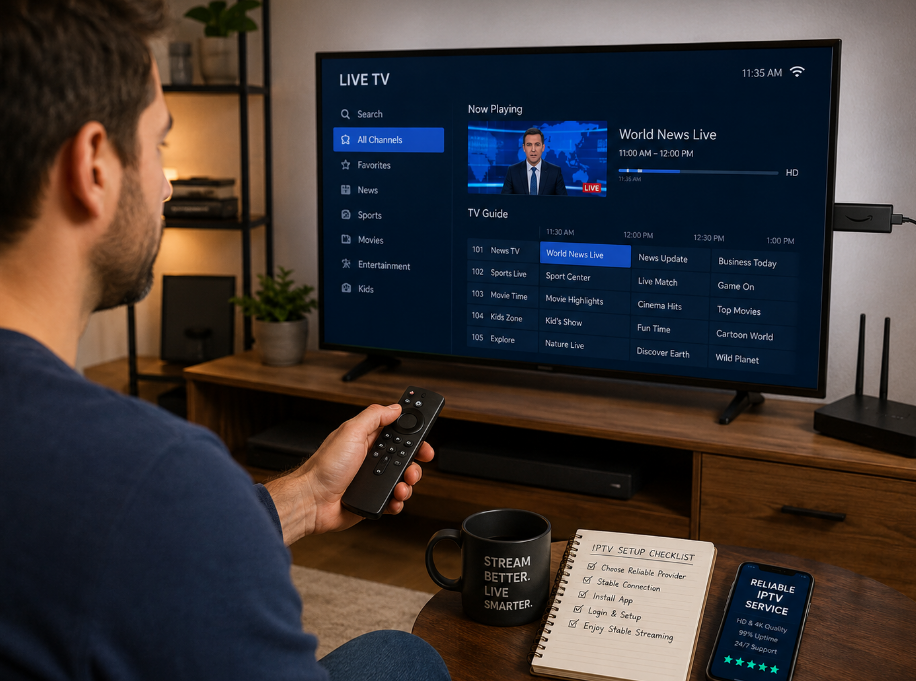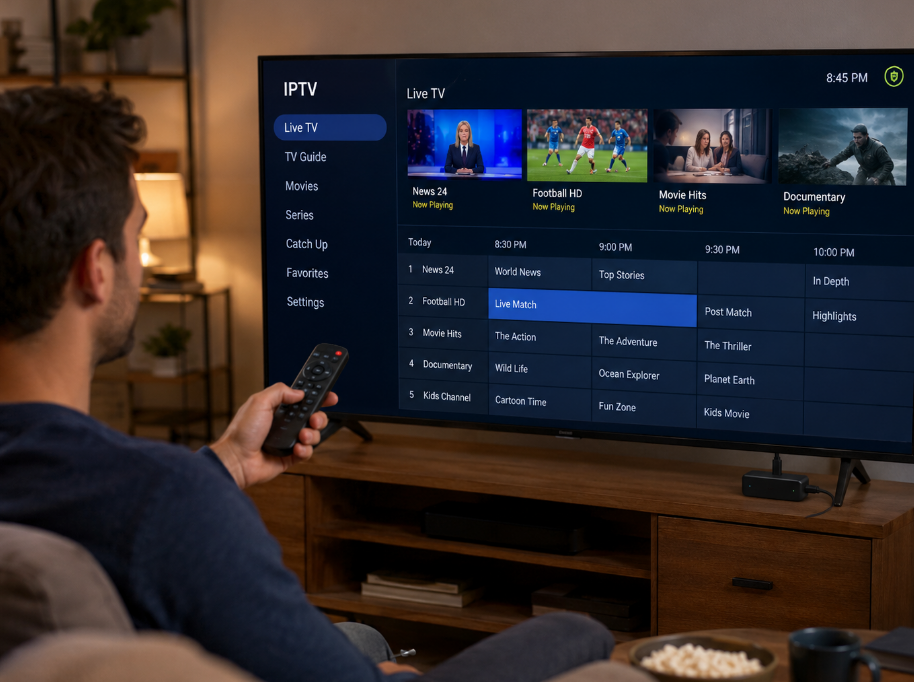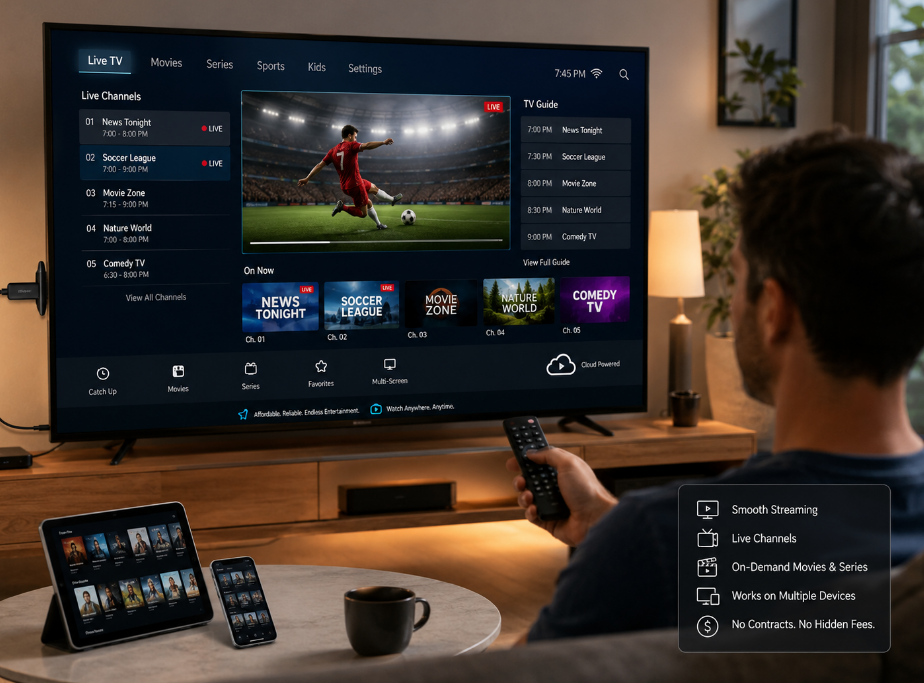
How much is too much when it comes to IPTV? The truth is, the iptv price in 2026 isn’t always what you think. Between sneaky hidden fees, random feature bundles, and vague fine print, the cost can go from “sweet deal” to “wait—what?” real fast.
A lot of folks sign up thinking it’ll be cheaper than cable—until the bill shows up looking like a phone book. From small businesses trying to stream across multiple screens to families just wanting smooth weekend sports, pricing clarity matters more than ever.
"You’d be shocked how often people overpay for things they don’t even use,” says a senior product manager at Stariptv. “Most plans aren’t built with real customers in mind.”
This guide keeps it real. We’ll break down the gotchas, compare cable vs IPTV, and walk you through five easy steps to shop smarter.
No fluff. No techy mumbo jumbo. Just straight-up answers to help you get the most bang for your buck.
5 shocking truths about IPTV price in 2026 (and what to do)
IPTV pricing looks simple until the fine print slaps your wallet. Here's what you might miss.

Subscription Models That Hide Long-Term Costs
Introductory rates lure users in, but they often balloon after the promo ends.
Auto-renewal catches you off guard, especially with long contract lengths.
Cancellation fees can bite, even if you’re only a week into the new cycle.
Tiered pricing hides extra costs behind small print — HD? That’s extra.
Price hikes? They're buried in the terms, triggered by vague "market shifts."
Recurring billing gives convenience but hides creeping increases.
Pro tip: Look out for 12-month promos that spike in month 13 — always read the fine print on bundled plans (see the FTC’s guidance on negative option subscriptions).
DRM System and Middleware: The Invisible Price Drivers
Widevine and PlayReady are common DRM tools that ensure content protection, but they’re not cheap — and you’re paying for them.
Providers shell out hefty licensing fees for DRM, which get baked into your Premium Package cost.
Don’t overlook middleware — it’s the invisible glue connecting your user interface to backend systems.
Every time you scroll or browse categories, streaming protocols behind the scenes (like DASH or HLS) are doing heavy lifting.
That “smooth” UX comes from pricey backend infrastructure, not magic.
"Middleware is like the nervous system of IPTV. No one sees it, but everyone feels the cost."
How Multi-screen Support Can Quietly Raise Your Bill
Let’s break it down:
| Feature | Free on Basic Tier? | Hidden Cost Risk | Why It Matters |
|---|---|---|---|
| Concurrent Streams | ❌ | High | More devices = higher cost |
| Device Limit | ✅ (2 Devices) | Moderate | Add-ons needed for 4+ screens |
| IP Locking | ❌ | High | Locked to home IP—remote blocked |
| Smart TV Access | ✅ | Low | May still limit simultaneous use |
Providers limit simultaneous connections and track bandwidth usage. Family Plan sounding sweet? Read the fine print — extra fees may apply after 3 devices or for additional smart TVs.
Why Customer Support Isn’t Really “Free”
Live chat access? It feels free, but you’re funding those agents.
Premium plans usually include technical assistance, but those costs are bundled in your monthly price.
High-tier providers often sell you peace of mind through better service level agreements (SLAs) — you’re paying for guaranteed response times.
Troubleshooting and maintenance costs are baked into the package, especially with 24/7 coverage.
Your operational expenses as a business may spike if you're reselling or deploying IPTV in bulk.
Want real savings? Skip the plan with VIP help desk features if you're tech-savvy — or be ready to pay for that white-glove treatment.
7 factors that determine your IPTV price
Your IPTV price isn't just about which channels you get — there’s a whole digital stack and business model behind it. Here’s how the real costs break down.
Licensing Fees and Regulatory Taxes Breakdown
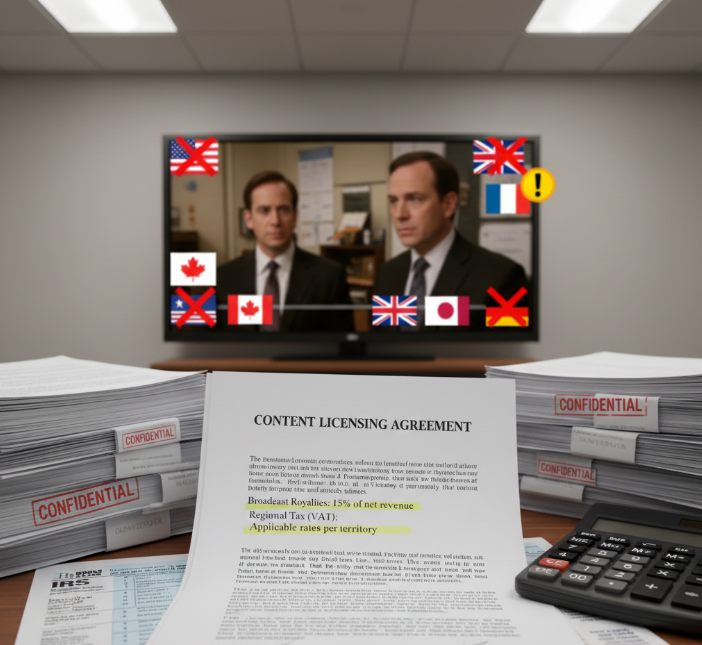
Broadcasting licenses and royalties for content rights are big-ticket items passed to you.
VAT and retransmission fees vary wildly by region — Europe pays more than Asia.
Copyright compliance enforcement fees? Yeah, you’re paying for those, too.
Territorial restrictions mean paying again for the same show in different countries.
Fun fact: A regional platform once paid double royalties just to stream “The Office” in two countries.
Bandwidth Allocation and Streaming Server Costs
Streaming in HD or 4K eats up way more throughput than you'd think.
CDNs and data centers charge based on traffic spikes and usage peaks.
Peering with ISPs can mean smoother streams — and higher fees.
Server maintenance isn’t just IT jargon. It’s baked into your subscription.
Average Bandwidth-Driven Monthly Cost Per User (USD)
| Resolution | Avg Bitrate (Mbps) | Monthly Data (GB) | Cost Impact |
|---|---|---|---|
| SD | 1.5 | 100 | Low |
| HD | 4.5 | 280 | Medium |
| 4K | 12 | 720 | High |
For real-world streaming needs, see Netflix’s speed recommendations and data usage.
The Role of Transcoding Engines in Cost Structure
Ever wonder how your video plays perfectly on your phone and your 4K TV? That’s the transcoding engine hard at work. Using formats like H.264 and HEVC, these engines compress videos on the fly to fit your device’s specs. Throw in GPU acceleration, cloud transcoding, and latency reduction, and the tech stack powering your stream costs real money. And yes — you’re footing part of the bill for that buttery-smooth playback.
Marketing Expenses and Affiliate Commissions Explained
Referral programs
That "invite a friend" deal? Those payouts come from your subscription pool.
SEO & PPC
Ever clicked an IPTV ad? That click cost someone money — and it’s not the provider.
Brand awareness campaigns
TV ads and influencer posts feed into customer acquisition cost — not just buzz.
Affiliate payouts
Higher conversion rates for influencers can mean inflated prices for you.
(For context on payment processing overhead, card processors like Stripe typically charge around 2.9% + 30¢.)
Smart TV vs. Mobile Device Support Impacts
IPTV app development for Smart TVs like Android TV, Tizen, and WebOS costs more than you’d think.
Cross-platform UI/UX design can drain budgets fast — especially with different OS requirements (iOS vs. Android).
Ever noticed updates lag on Smart TVs? Providers often prioritize mobile OS because it’s cheaper to update and manage.
According to Jane Liu, UX Lead at StarIPTV,
“Developing for fragmented Smart TV platforms triples our dev costs. We factor that into pricing — no way around it.”
Encryption Costs in High Definition Video Delivery
DRM systems like Widevine, FairPlay HLS, and PlayReady license fees scale with usage and device count.
4K Streams? They need advanced content protection, like AES-128 and watermarking.
Anti-piracy enforcement isn’t just to protect content creators — it protects service reliability, but it’s pricey.
Many services quietly charge more to offset encryption costs, especially in Premium Packages.
(For protocol standards: MPEG-DASH.)
Cloud DVR and Catch-up TV Pricing Logic
More storage capacity = more dollars. Services charge based on how many hours you store.
Time-shifting and playback windows have server-side recording costs — they add up.
Metadata indexing and buffer management? It’s all extra load on the system.
Watch out for price bumps tied to data retention extensions.
VOD libraries and Cloud DVR features look slick, but you might be paying $2–$4/month extra just for that rewind button.
IPTV price vs Cable: Which saves you more?
This part breaks down what you really get for your money when comparing IPTV and cable. Think of it as a money-savvy cheat sheet.
Monthly Plan or Annual Subscription: Which Is Better Long-Term
Monthly Plans are great for commitment-phobes but often pricier long-term.
Annual Subscriptions usually come with a sweet discount—but less flexibility.
Recurring billing can sneak up on you with auto-renewals.
Cost-effectiveness depends on your usage and upgrade habits.
Contracts may lock you in but often unlock lower pricing.
The real trick? Don’t fall for flash deals without checking the fine print. A yearly plan sounds smart—until renewal hits harder than expected (again, see FTC resources on auto-renewals).
Live Sports and Premium Movies: Who Does It Cheaper
Average Costs Comparison by Service Type
| Content Type | IPTV Avg. Cost/Month | Cable Avg. Cost/Month | Notes |
|---|---|---|---|
| Live Sports Package | $15–$25 | $30–$45 | IPTV wins with custom sports add-ons |
| Premium Movies (VOD) | $10–$15 | $20–$30 | Licensing fees inflate cable costs |
| Pay-Per-View Events | $20–$60 | $30–$80 | Slight edge to IPTV on flexibility |
Streaming rights for premium channels and sports packages on IPTV are generally cheaper thanks to à la carte models. Cable bundles lock you into higher base fees, mostly due to heavy broadcasting rights and outdated delivery models.
Installation Costs: Set-top Box vs. Cable Box
“IPTV doesn’t require a guy in a van drilling holes in your wall.”
— Elena Cruz, Hardware Product Manager, StarIPTV
Set-top Boxes (IPTV): Typically optional; most use a Smart TV or mobile streaming device.
Cable Boxes: Require a technician visit, often with a steep activation fee.
Rental Fees: IPTV hardware, when needed, is cheaper or one-time. Cable charges monthly.
The bottom line? IPTV installs are almost always plug-and-play. Skip the technician. Skip the coaxial cable. Just stream.
Content Delivery Network vs. Traditional Broadcast
CDNs (Content Delivery Networks) move data via internet protocol, slicing content into data packets and sending them with crazy-low latency. Traditional broadcast? Still using satellites and terrestrial signals—slow and clunky.
IPTV’s CDN model adjusts to bandwidth and server load dynamically.
Cable’s old-school broadcasting doesn’t flex with usage spikes.
Result? IPTV gives smoother streams, fewer hiccups.
For background, see what a CDN is and CDN benefits.
Bottom line: Your stream’s stability rides on the CDN horse—not a rusty old satellite.
Electronic Program Guide and Time-shifting Feature Comparison
IPTV’s EPGs (Electronic Program Guides) are like app stores—sleek, searchable, and loaded with metadata. With Time-shifting features like DVR, catch-up TV, and playback scheduling, you’re the boss of your watch schedule.
Cloud storage allows full control over playback and DVR use.
Cable EPGs? Clunky and limited, mostly stuck in last decade.
IPTV’s user interface is smoother across Smart TVs, mobile, and tablets.
Cable forces you to watch on its terms. IPTV hands you the remote—literally and figuratively.
How much should an IPTV subscription cost in 2026?
This cluster’s your cheat sheet for not overpaying in 2026. Think of it as the street-smart version of an IPTV price guide.
What to Expect from a Basic Tier vs. Premium Package
You’ll usually get:
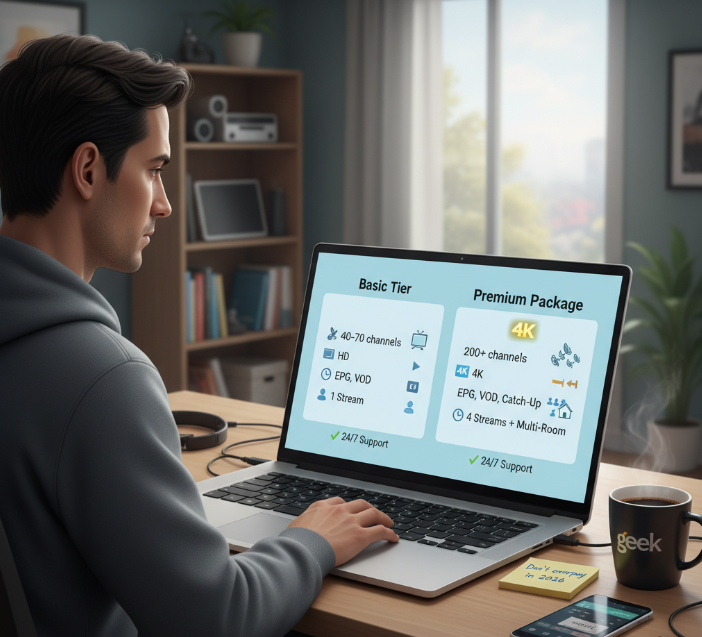
Basic Tier: SD/HD content, ~40–70 channels, limited VOD library
Premium Package: Up to 4K resolution, 200+ channel count, full VOD, buffer-free streaming
Premiums also unlock:
More simultaneous streams (often 4+)
Full EPG access and high-tier customer support
Dedicated servers = smoother, buffer-free playback
Don’t let “premium” fool you—it isn’t always better. If you don’t need 4K or multi-room access, Basic can stretch your budget. Think: champagne vs. decent beer—both get the job done. (If you’re shopping plans now, see IPTV Packages.)
Understanding Pay-Per-View and Trial Period Pricing
PPV events (like UFC fights) run from $10–$80 per stream.
Some providers drop in “hidden” live sports PPVs even when you’re on a Premium plan.
Trial periods can last 3–14 days but usually require a credit card upfront.
Want to test? Ask if demo access is available without a card.
Always check if that one-time fee is truly one-time (spoiler: sometimes it’s not).
Multi-room Discount: Real Savings or Gimmick?
That “multi-room discount” might sound sweet—but don’t fall for every promo. Most of the time, it’s only a small drop in subscription cost, and providers often sneak in device limits or an IP lock. If you're eyeing a family plan with multiple connections, check how many simultaneous connections are allowed. Some limit it to 2, despite saying “multi-device.” Read the fine print. It’s not just about the discount—it’s about what you’re really allowed to do.
Local Stations, Kids Programming, and Their Pricing Influence
Regional Channels: Often cost more due to licensing. Geo-blocking can limit access.
Local News: Some IPTV services skip this entirely unless you pay extra.
Parental Controls: These features can be free… or locked behind a premium add-on.
Disney Channel & Kids Content: Pricier than you’d expect—especially in niche content bundles.
Don’t assume local = free. You’re often paying extra to stay connected to your neighborhood.
Payment Gateway Fees Hidden in Your Monthly Bill
| Payment Method | Avg. Fee % | Extra Charges | Notes |
|---|---|---|---|
| Credit Card | 2.9% | Processing Fee | Most common; often hidden |
| PayPal | 2.5% | Currency Conversion | Adds up for international |
| Cryptocurrency | 0–1% | Bitcoin Network Fee | Sometimes cheaper, less used |
| Auto-Billing Cycle | Varies | Monthly Service Charge | Seen with debit/credit use |
These aren’t huge costs individually, but they stack up over time. Some providers pass them straight to you—without telling you. Always scan your monthly receipt. (Typical online processing is 2.9% + 30¢.)
Lifetime Access: Worth the Upfront Cost?
You pay once, and it’s yours for life—sounds ideal, right? But here’s the kicker:
That one-time payment could backfire if the provider disappears in 2 years.
Server stability and ongoing service longevity aren't guaranteed.
Long-term ROI only works if the provider doesn’t flake out or become obsolete.
Exit scams have happened—especially with overseas IPTV vendors.
“We’ve seen dozens of providers offer ‘lifetime access’ and vanish within 18 months,” says Kevin Do, Infrastructure Lead at Stariptv. “It’s not about the cost. It’s about the company’s roadmap.”
So unless the provider reliability is solid and documented, you’re just pre-paying for disappointment. Tread carefully.
Worried about hidden fees? Transparent IPTV price breakdown
This part unpacks the sneaky costs hiding behind your monthly bill. Time to separate the fluff from what you actually pay for.
Unpacking Server Maintenance and Load Balancer Costs
Keeping your IPTV stream alive takes heavy-duty infrastructure.
Behind that flawless 4K stream? Load balancers working overtime to handle traffic spikes.
Bandwidth and uptime don’t come cheap — especially when scaling for millions of users.
Data centers and CDNs keep latency low but bring steady operating costs.
Infrastructure Cost Breakdown (Typical IPTV Network)
| Component | Monthly Cost (Per 10K Users) | Function | Related Terms |
|---|---|---|---|
| Bandwidth | $500 – $2,000 | Data delivery | Scalability, Latency |
| Load Balancers | $300 – $800 | Traffic distribution | Uptime |
| CDN (Per Region) | $200 – $1,000 | Caching content | Traffic, Latency |
| Server Maintenance | $400 – $1,500 | Hardware upkeep | Data centers |
Subtitle Support and Parental Controls: Are They Extra?
Closed captions may be included, but multi-language subtitles? Often an add-on.
Parental controls like PIN protection or content filtering can come free—or as premium features in EPG-based systems.
User profiles let families personalize streams but may trigger charges for advanced filtering settings.
Watch out for plans that bundle these as “family-safe” features, only to upsell them later.
Do You Really Need a Gaming Console or HDMI Cable?
Smart TVs or Firesticks usually cover your needs without extra gear.
HDMI cables are necessary only if you’re running a Set-top Box or media hub.
Ethernet helps boost streaming speed but isn’t required for casual users.
Gaming consoles like PS5 can stream — but are often overkill unless you already own one.
Save your wallet: Most 4K resolution streams work fine on basic Streaming Devices. (For tech setup, see the IPTV setup guide.)
Cloud DVR Storage Tiers and Extra Charges
Not all DVRs are equal. While some Monthly Subscriptions offer free Cloud DVR storage, most cap your recording hours or buffer time unless you pay extra. Plans with more storage capacity or Catch-up TV features may appear cheap upfront but include hidden charges when playback or on-demand needs increase. Be careful of auto-upgrades triggered after exceeding your limit — they often go unnoticed.
Affiliate Commissions and Their Effect on Retail Pricing
"Most users don’t realize their subscription includes a 10-20% affiliate margin — and that’s before marketing spend kicks in."
— Sandy Chao, Marketing Director @ Stariptv
Referral programs give influencers and partners a cut of your fee.
Reseller partnerships add markup layers that drive price differences across the same IPTV provider.
Look for hidden discount codes — they’re often used to mask inflated pricing from revenue-share deals.
Marketing costs can inflate the base price by up to 30% depending on the size of the campaign.
If you’re comparing subscription plans, always ask yourself: “Who’s really getting paid here?” (To explore ethical providers, check IPTV service review.)
5 steps to compare IPTV prices and features
IPTV subscriptions can look the same on the surface, but here's how you really compare them without getting played.
Step 1: Check the Channel Lineup Like You're Grocery Shopping
Don’t just skim the list—make sure it has Live Sports, Premium Movies, and Local Stations you actually care about.
Some providers throw in hundreds of channels you’ll never watch just to make it look “premium.”
Ask yourself: Would I actually pay for this channel if it weren’t bundled?
Look out for filler like 10 versions of the same news feed—yep, that happens. (If you’re new to the space, start with what is IPTV.)
Step 2: Compare Monthly Pricing, But Watch the Fine Print
Here’s how 3 popular plans can look on paper—and how they really stack up:
| IPTV Subscription | Monthly Pricing | Simultaneous Connections | Free Trial Included |
|---|---|---|---|
| StreamBase Basic | $9.99/month | 1 | 7 days |
| MegaCast Plus | $14.95/month | 3 | No |
| StarIPTV Premium | $19.99/month | 5 | 24 hours |
The price alone doesn’t tell the story—simultaneous connections matter a ton for families or shared households.
Watch out for “free trials” that don’t really let you test features like VOD libraries or EPG (Electronic Program Guide) access. (Legit IPTV free trial options exist.)
Step 3: Ask About Device Compatibility Before You Commit
Some services only work well on specific devices, and that’s where frustration kicks in.
Smart TVs: Make sure the app is actually in the store—don’t assume it’s there.
M3U Playlist Support: If you're using media players like VLC or TiviMate, you’ll need this for manual setup.
Mobile Users: If you're mostly watching on your phone, test the layout. Some providers don't optimize for small screens at all.
Gaming Consoles: Surprisingly hit-or-miss with IPTV apps—don’t expect full feature parity.
StarIPTV engineer Melissa Tran says:
“Most compatibility issues we see are with older Smart TVs and unsupported routers. If a customer’s router can’t handle the stream, it doesn’t matter how good the service is.”
(If you’re ready to set up, follow the IPTV setup guide.)
Step 4: Run a 10-Minute Streaming Quality Test
Here's a simple method to tell if the service’s streaming quality is worth the monthly fee:
Play a Live Sports channel during peak hours (evenings/weekends).
Flip between at least 5 channels, including a 4K stream and a local news station.
Check for buffering during transitions and audio sync issues.
Use a wired Ethernet cable instead of Wi-Fi to isolate ISP issues.
Pause and resume playback on a VOD title to test the server response time.
If buffering hits or channels take forever to load, don’t expect miracles on a busy Sunday. (For adaptive streaming basics, see HLS and MPEG-DASH.)
Step 5: Test the Support Team Before You Need Them
Before you get locked into anything, shoot the customer support team a message—even if it’s just a fake question.
Ask something simple, like how to set up your EPG or how many simultaneous connections are allowed.
Time how long it takes to get a reply and how helpful they are.
Use live chat if available—email response times can be misleading.
Quote from Jamal King, StarIPTV Support Manager:
“A lot of services cut corners on customer service. If it takes more than 24 hours to answer basic setup questions, that’s your red flag.”
Conclusion
So here’s the bottom line: if you're scratching your head about the iptv price in 2026, you’re definitely not alone. From sneaky hidden fees to tech infrastructure most folks never think about, the true cost of IPTV is a bit like your grocery bill — way more than what’s on the sticker. But now, you’ve got the inside scoop to avoid overpaying.
✅ Compare subscription types (monthly, annual, lifetime) before committing
✅ Watch for extra charges tied to features or devices
✅ Match content needs (Live Sports? Kids shows?) to what you’re paying for
✅ Dig into what’s really included in the plan
TV used to just be “plug it in and flip the channels.” Now? It’s a game of chess. As media professor Dr. Ellen Roth once said, “What you stream is personal — but what you pay for it is a business decision.” Make it a smart one.
References
Netflix — Recommended Speeds for SD/HD/4K Streaming — https://help.netflix.com/en/node/306
Netflix — Data Usage Settings — https://help.netflix.com/en/node/87
Apple Developer — HTTP Live Streaming (HLS) — https://developer.apple.com/streaming/
MPEG — MPEG-DASH Standard Overview — https://www.mpeg.org/standards/MPEG-DASH/
Google Developers — Widevine DRM Overview — https://developers.google.com/widevine/drm/overview
Microsoft — PlayReady Documentation — https://learn.microsoft.com/en-us/playready/
Cloudflare Learning Center — What is a CDN? — https://www.cloudflare.com/learning/cdn/what-is-a-cdn/
Cloudflare Learning Center — CDN Benefits — https://www.cloudflare.com/learning/cdn/cdn-benefits/
Stripe — Pricing — https://stripe.com/pricing
FTC — Free Trials, Auto-Renewals & Negative Option Subscriptions — https://consumer.ftc.gov/articles/getting-and-out-free-trials-auto-renewals-and-negative-option-subscriptions
FAQ
What affects IPTV price the most?
Channel costs like Live Sports and Premium Movies
Video quality such as HD or 4K Streams
Number of screens used at the same time
Subscription type like Monthly Plan or Annual Subscription
Extra features such as Cloud DVR
Devices used, including Smart TV or Mobile Device
Do I need special equipment to use IPTV?
Most services work on Smart TVs, Media Players, or Mobile Devices. A stable Wireless Router and HDMI Cable usually matter more than buying a new Set-top Box.
How can I reduce my iptv price without losing value?
Pick a Basic Tier instead of a Premium Package
Pay yearly to lower the average cost
Avoid features you don’t use, like Cloud DVR
Limit how many devices stream at once
Check for Multi-room Discount options
Are hidden fees part of the iptv price?
Yes. IPTV price plans may include extra costs like payment fees, regional taxes, or encryption charges. These often appear after a Trial Period ends, not during signup.
Which subscription model fits most people best?
Monthly Plan
Easy to cancel
Higher cost over timeAnnual Subscription
Lower average price
Less flexibilityLifetime Access
One-time payment
Risk if service shuts down
How does internet speed change IPTV cost and quality?
Higher speed supports smoother Live Sports and 4K Streams. Providers offering better performance often charge more, especially for homes using Ethernet Cable setups or multiple screens.
Which IPTV features are actually worth paying for?
Catch-up TV if you miss live shows
Cloud DVR for recording
Parental Controls for kids
Multi-screen Support for families
Subtitle Support for comfort and access
Is iptv price higher for business use?
Yes. Business plans often include more bandwidth, stronger security, and better support. Costs rise due to shared access, multiple users, and stable service needs.
What usually comes with a premium IPTV package?
Live Sports and Premium Movies
High Definition Video or 4K Streams
Use on Smart TV, Gaming Console, and Mobile Device
Full program guide and replay options
Larger Cloud DVR limits
Can one IPTV account be used on many devices?
It depends on the plan. Some allow several screens at once, others charge extra. Using too many devices without Multi-screen Support can lead to added fees.